

Close Menu
  • News
  • Guides
    • Grounded 2
    • Wild Hearts
    • Monster Hunter Wilds
    • Monster Hunter World
    • Monster Hunter Stories 2
    • Monster Hunter Stories 3
    • Monster Hunter Now
    • Monster Hunter Rise
    • Monster Hunter Outlanders
  • Features
  • Guard Up Tool
Facebook X (Twitter) Instagram
Trending
  • Which Monster Hunter Games Have Crossplatform Play and Cross-Save? Full List Explained
  • Everything Coming to the Second Closed Beta of Monster Hunter Outlanders
  • MH Outlanders 2nd Beta Test Announcement Reveals Two New Adventurer Partners with Unseen Movesets Yet
  • What Does Affinity Do In Monster Hunter Wilds? Explained & Essential Armor Skills
  • How to Defeat Arkveld in Monster Hunter Stories 3
  • Monster Hunter Stories 3: Full Decoration List
  • Monster Hunter Stories 3: Is There a Hunter Party Member? Answered
  • All Recipe List & Locations in Monster Hunter Stories 3
Monster Hunter HQMonster Hunter HQ
  • News
  • Guides
    • Grounded 2
    • Wild Hearts
    • Monster Hunter Wilds
    • Monster Hunter World
    • Monster Hunter Stories 2
    • Monster Hunter Stories 3
    • Monster Hunter Now
    • Monster Hunter Rise
    • Monster Hunter Outlanders
  • Features
  • Guard Up Tool
Monster Hunter HQMonster Hunter HQ
Home » MH Wilds: What Does the Environment Link Multiplayer Option Actually Do? Explained
MH Wilds: What Does the Environment Link Multiplayer Option Actually Do? Explained
Image source: Capcom via Monster Hunter HQ

MH Wilds: What Does the Environment Link Multiplayer Option Actually Do? Explained

0
By Sidharta F. Rasidi on February 18, 2025 Guides, Monster Hunter Wilds

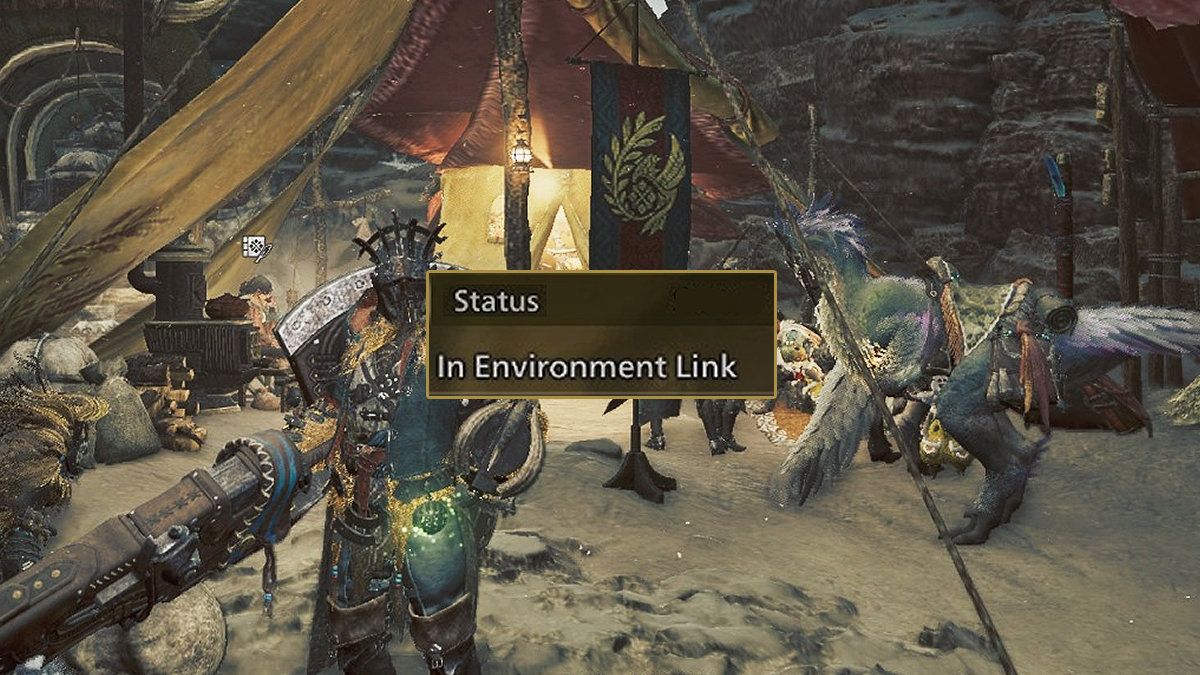
Monster Hunter Wilds offers a completely new multiplayer options when playing with either friends and strangers. The new system makes it the most seamless multiplayer experience ever, as 100 players will be gathered in one lobby. From there, each can post quests and anyone can easily join or do their own things. But, there is another new option in Monster Hunter Wilds to help you group up called Environment Link which is activated through Link Party. How does this system actually work and why you should use it when running the game with a team?

What’s The Difference Between Joining a Lobby Normally and Using Environment Link in Monster Hunter Wilds?
What's The Difference Between Joining a Lobby Normally and Using Environment Link?
Image source: Capcom via Monster Hunter HQ

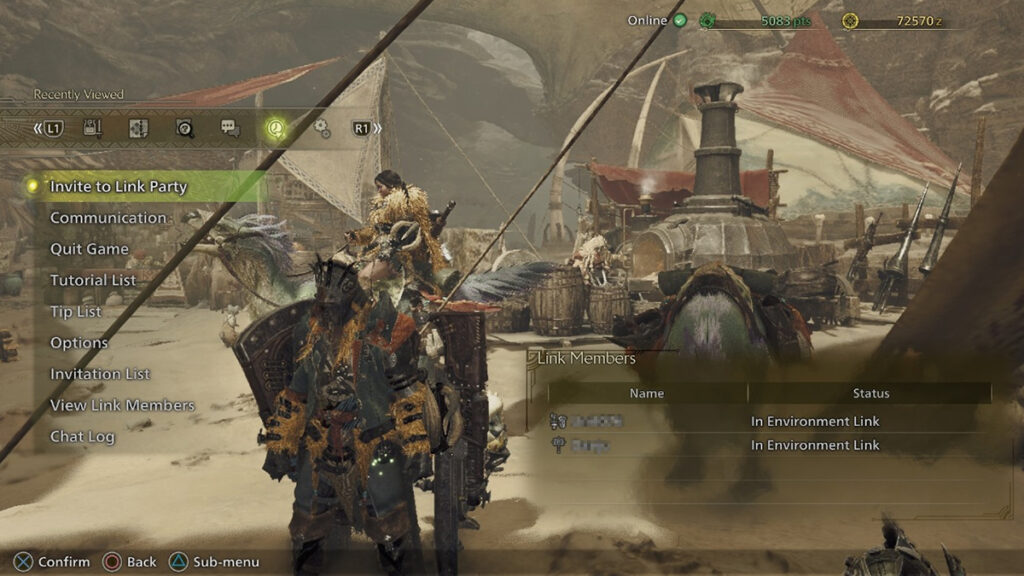
When you enter a normal lobby, you can see other players in the Base Camp — but not outside in the hunting areas. If you want to spend time with fellow Hunters while taking in Windward Plains’ views, then you need to group up with Environment Link. Anyone who are part of your Link Party and join up in the same Environment Link group will be able to meet and do free hunts together.

Nevertheless, activating and joining an Environment Link will block you and your teammates from posting Quests from the Base Camp. For reasons listed before, the main use of Environment Link is to gather materials and run Investigations together with friends in your Link Party.

Here’s how you can invite friends in the same or even different lobbies to your Environment Link:

  1. Open the start menu, go to the ‘Communication’ tab.
  2. Select the ‘Link Party’ option.
  3. Select ‘Invite to Link Party’ and pick players from the lobby’s player list or your friends list to send an invite.
  4. Once your selected players have joined your Link Party, open the ‘Link Party’ option in the start menu again.
  5. Pick ‘Invite to Environment Link’ and invite the players currently in your Link Party group.
  6. Wait for a while until other players in Base Camp disappear from your screen and only your friends remain. If they are not in the Base Camp, then they’ll drop down from a Wingdrake.
  7. Now you and up to three teammates can roam around the hunting areas together.

However, keep in mind that any Investigation Quest you activate by hunting a monster will still appear in the room you’re currently in. Even when you didn’t activate SOS, other players in the same lobby that aren’t part of your Link Party will still be to join the quest.

For more information about Environment Link, you can check it in the tutorial menu via: Info > Play Guide > Tutorial List > Connection/Communication Function.

Share. Facebook Twitter Pinterest Reddit Email
Sidharta F. Rasidi
  • Website

Related Articles

Which Monster Hunter Games Have Crossplatform Play and Cross-Save? Full List Explained

What Does Affinity Do In Monster Hunter Wilds? Explained & Essential Armor Skills

All Event Quest & Festival Ticket Rewards in MH Wilds

Add A Comment
Leave A Reply Cancel Reply

Features

Everything Coming to the Second Closed Beta of Monster Hunter Outlanders

Monster Hunter Outlanders Might Just Be the True MH Wilds We’ve All Been Waiting For

Is Monster Hunter Wilds Feasible on Switch 2? Let’s Talk Quick Math

MH Outlanders Will Have ‘Overpowered’ Gacha Partners, Unlimited Quest Timer & Retries, Playtesters Said

Popular Guides

Here’s All the Rewards You Can Earn By Playing the Monster Hunter Wilds Beta This Weekend

Hunt away

Is Monster Hunter Wilds Down: How to Check Server Status

Make sure the server is up before you get down to the hunt

How To Get Silk Rope in Grounded 2 (& How to Use It)

Get sticky with it

Which Monster Hunter Games Have Crossplatform Play and Cross-Save? Full List Explained

April 28, 2026

Everything Coming to the Second Closed Beta of Monster Hunter Outlanders

April 2, 2026

MH Outlanders 2nd Beta Test Announcement Reveals Two New Adventurer Partners with Unseen Movesets Yet

March 29, 2026

What Does Affinity Do In Monster Hunter Wilds? Explained & Essential Armor Skills

© 2026 MonsterHunterHQ

MonsterHunterHQ is an unofficial Monster Hunter fan site and is in no way affiliated with Capcom, Tencent, Niantic, Inc., or FromSoftware Inc. Monster Hunter and the Monster Hunter logos are the property and trademarks of Capcom.
  • About Us
  • Meet Our Team
  • Editorial Guidelines
  • Terms of Use
  • Privacy Policy

Type above and press Enter to search. Press Esc to cancel.