

Monster Hunter Wilds looks and plays incredible, but its PC performance? Not so much. Even powerful rigs struggle with stutters and frustrating frame drops. So far the experience can leave a sour taste, but thankfully, the modding community is here to save the day. With the right tweaks, you can boost performance, smooth out gameplay, and even have sharper visuals. Here are the must-have mods to fix common issues in Monster Hunter Wilds and make your PC experience way better.
1. Manually Remove Volumetric Fog
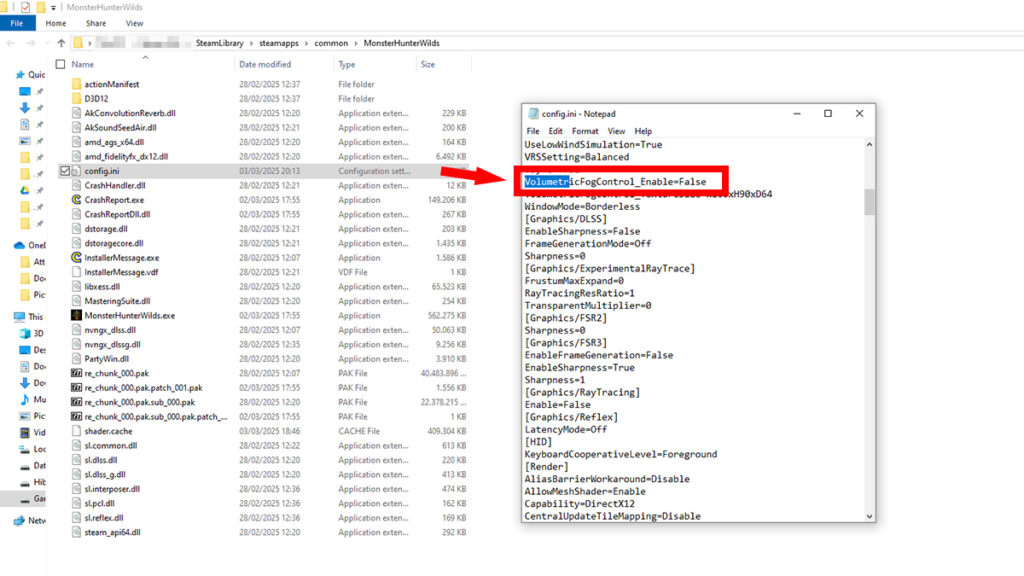
The game lacks an in-menu option to fully disable volumetric fog, which can heavily impact performance. To remove it, manually edit the config.ini file by changing the “VolumetricFogControl_Enable=” value from “True” to “False.” For more details, read our guide on how to manually disable volumetric fog in the game.
2. DirectStorage 1.2.2 Upgrade to 1.2.3 – IO Stutter Fix
Modders reported that Capcom’s implementation of DirectStorage 1.2.2 causes severe stuttering when loading assets and textures. Upgrading to version 1.2.3 through this mod replaces the faulty Monster Hunter Wilds files with Microsoft’s latest DLLs.
In theory, it should help eliminate micro-stutters when panning the camera or transitioning between areas even without frame generation. However, it seems this fix is aimed at Windows 11 as Windows 10 users report little to no difference. Our testing in the video above also shows the same case. This mod also won’t alleviate any VRAM-related issues if you have less than 8GB VRAM.
3. REFramework – Monster Hunter Wilds Mods Foundation
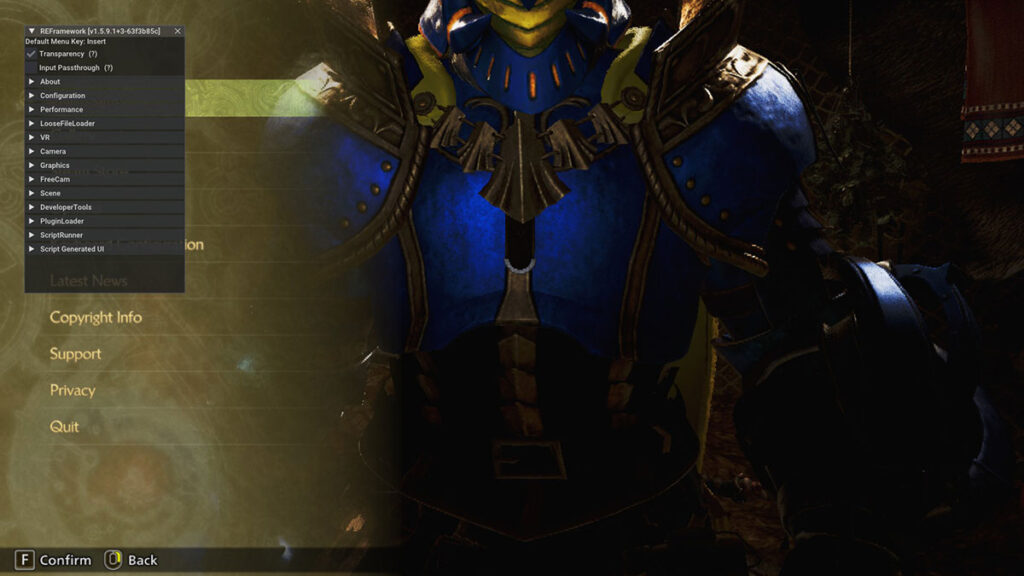
REFramework is an essential tool for most Monster Hunter Wilds mods. Aside from a Lua-based scripting API, it even comes with bug fixes and quality-of-life features such as:
- Free camera control.
- Timescale adjustments.
- Field of View scaling.
- Ultrawide monitor support.
- Stability fixes for DLL and ReShade crashes.
To install, simply place the “dinput8.dll” into the game’s installation folder. The in-game menu can be toggled with the Insert key. Nevertheless, there are still hiccups here and there. The game could crash after 30+ minutes due to Capcom’ anti-tamper system. Overlays like Discord, Rivatuner, and Overwolf should be disabled as well if the game crashes on startup.
Don’t forget that with every official update and patch, there’s a huge chance that the current version of REFramework will be broken. When that happens and you’re stuck in an infinite loading screen, remove outdated mods and update your REFramework.
4. Disable Lens Distortion
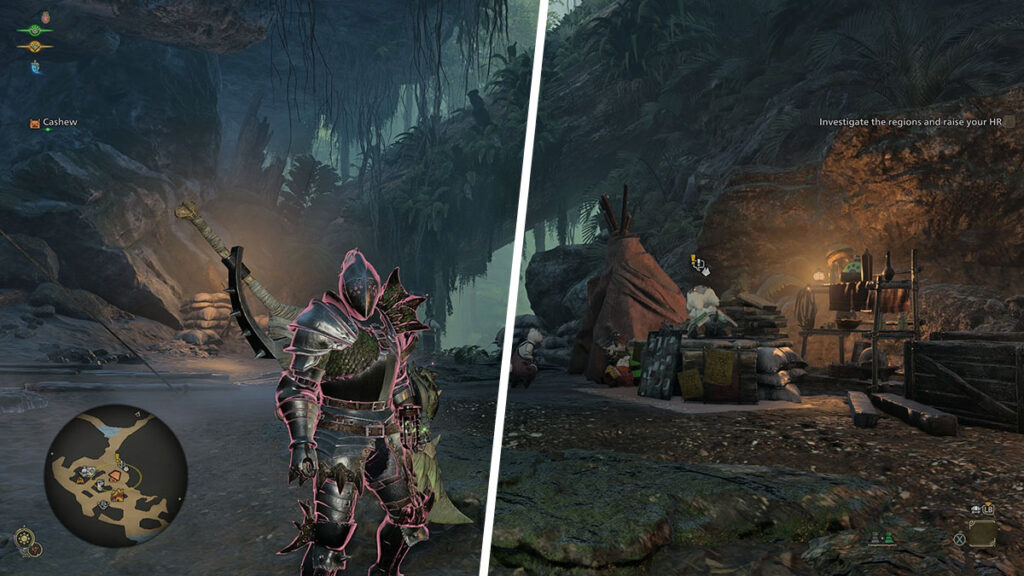
Lens distortion softens the image, creating an artificial warping effect. While the game has an .INI option to disable it, the setting doesn’t always work. This mod removes lens distortion completely, making visuals much sharper.
Screenshots couldn’t really do this mod justice. You really need to install this and see it for yourself how crisp the visual becomes. You’ll need REFramework to make this Monster Hunter Wilds mod works.
5. Mods to Disable Post Processing Effect in Monster Hunter Wilds
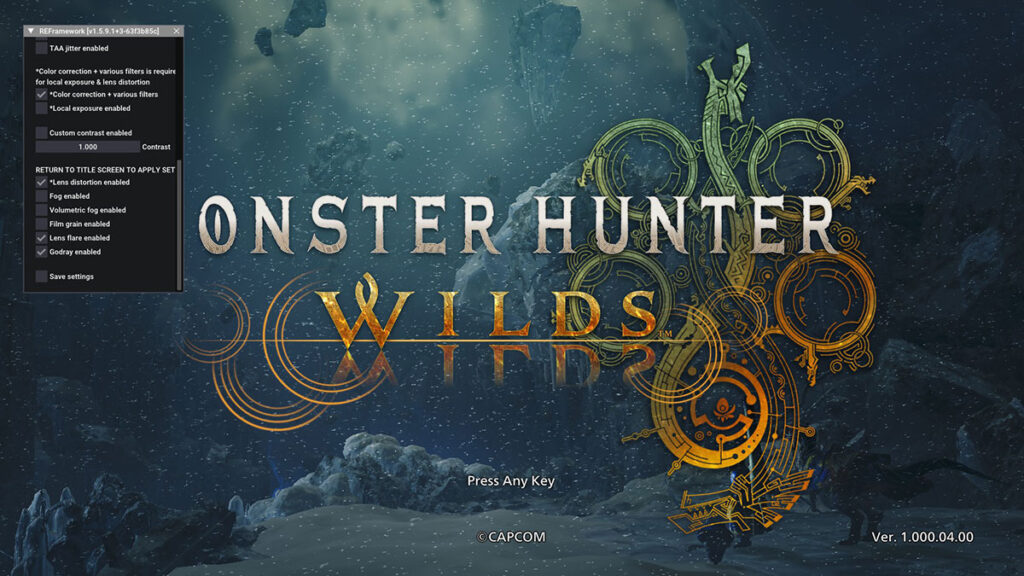
Post-processing effects like TAA, film grain, local exposure, and blur can degrade visual clarity and reduce performance. Thankfully, this REFramework script allows you to disable those unwanted effects, improving sharpness and game’s responsiveness. It comes with an option to toggle off:
- Disable TAA & TAA jitter.
- Disable lens distortion.
- Disable color correction and post-processing filters.
- Disable volumetric fog, in case you’re not sure how to do it manually.
However, do keep in mind that some combat effects, like camera distortion from roars and blocking, will be disabled. UI can also get a bit misaligned when disabling color correct and filters, most noticable on ultrawide monitors. If the game looks much darker than usual, turn up the brightness from the in-game menu.

1 Comment
Pingback: How to Install MH Wilds Mods on Steam Deck - Monster Hunter HQ