

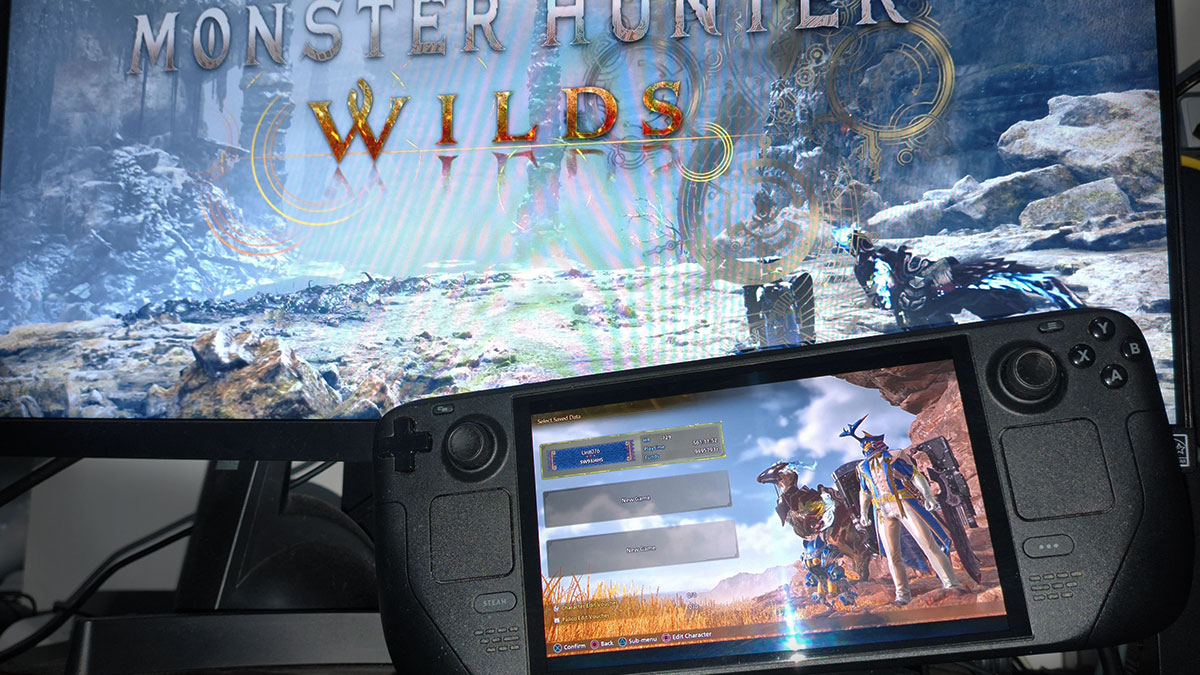
Against all odds, Monster Hunter Wilds officially became Steam Deck Verified on August 20. That’s quite the turnaround for a game whose PC performance was once anything but Deck-worthy. Thankfully, spending months optimizing performance has done wonders for both Capcom and the series’ fans. Still, Valve’s green checkmark raises another question: does it actually run well on the handheld now? The Monster Hunter HQ team will put Wilds‘ Steam Deck Verified badge to the test.
Monster Hunter Wilds Performance on the Steam Deck
(Click to expand)
(Click to expand)
(Click to expand)
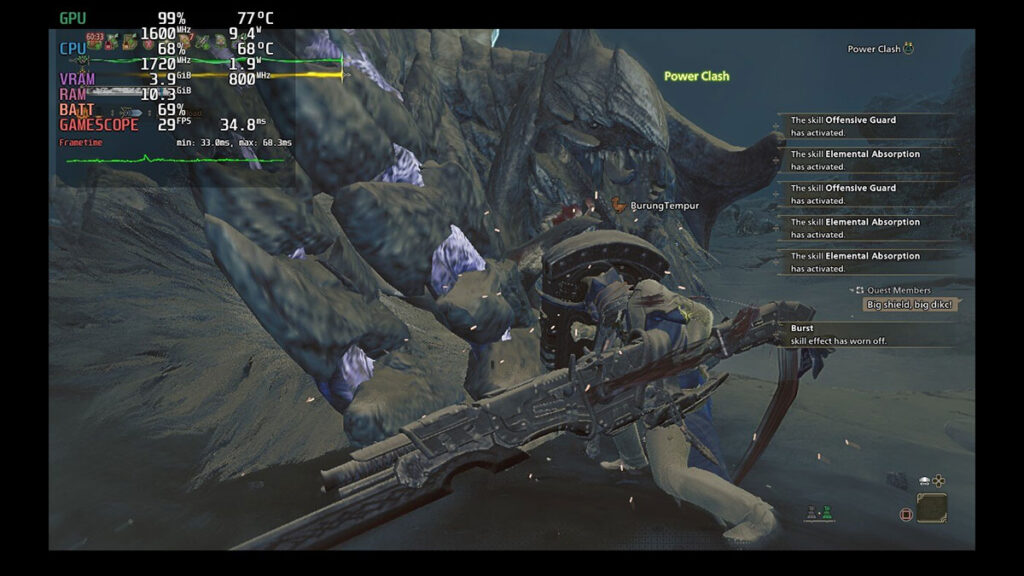
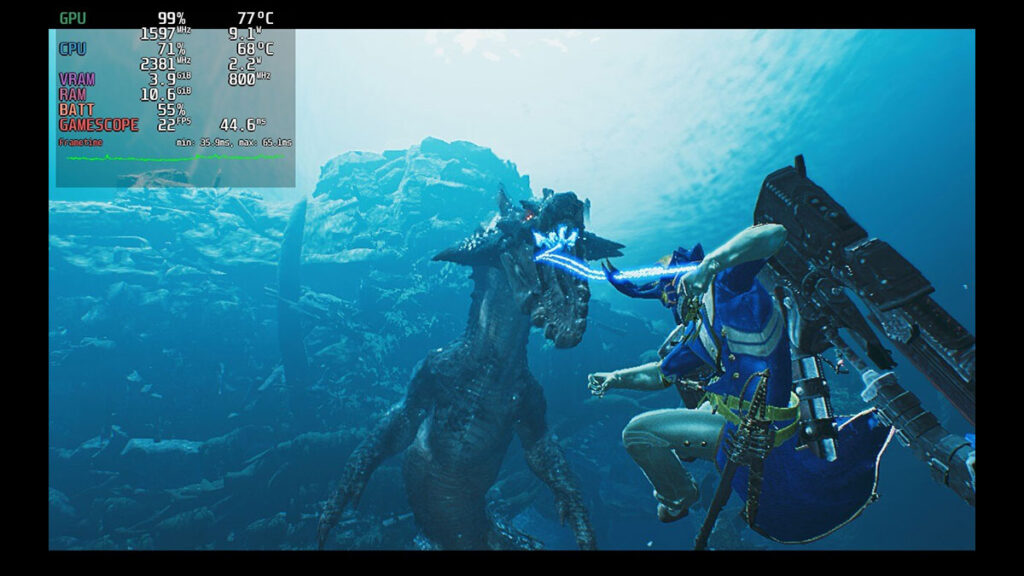
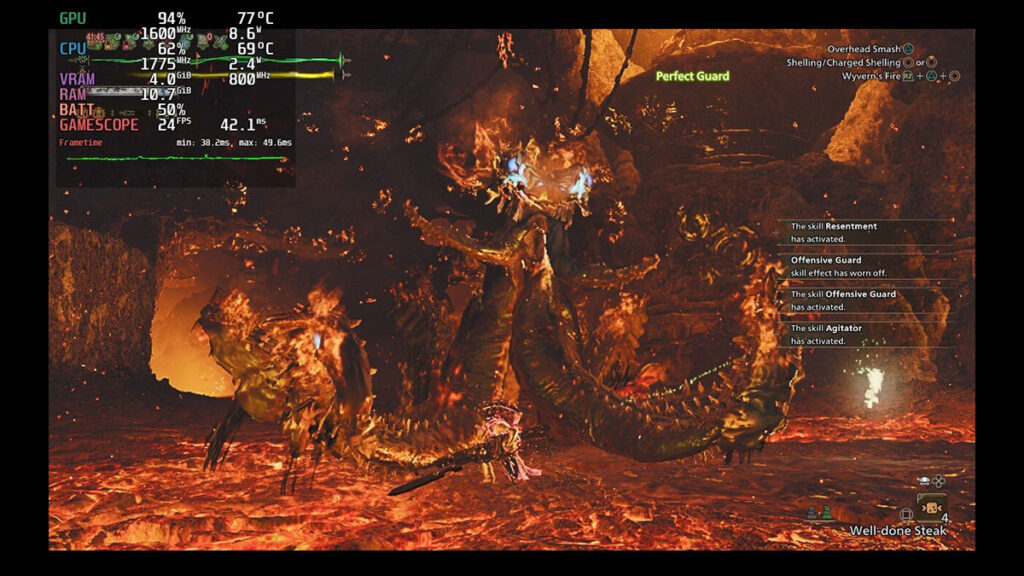
Mirroring Capcom’s previous gameplay stress tests, we ran the game through similar High Rank Investigations and Quests. These are Arkveld in Sandtide Windward Plains, Lagiacrus in Plenty Scarlet Forest, and Nu Udra in Firespring Oilwell Basin. We are also not using any mods or config tweaks aside from the official in-game settings
The results? Well, they speak for themselves. Unlike during the beta test and before the January update, you can actually get into the main menu at 33 FPS. No more black screen!
However, once we’re past that, the cracks start to show. When we loaded into the online Gathering Hub, we were instantly met with a framerate drop to around 22-25 FPS, with 17 FPS at its lowest. That’s at the Lowest GPU and CPU settings at Steam Deck’s default 1280×800 resolution without using AMD FSR for upscaling or frame generation.
Now on to the hunting grounds. In Windward Plains during Inclemency, native performance now runs at 26-28 FPS when fighting Arkveld in Areas 5 and 11. Surprisingly, it could hold on to 30 FPS for a couple of seconds when there isn’t much happening on screen. However, the more open and crowded Areas 7 and 8 proved to be a challenge, as performance cratered to 17-19 FPS, maintaining 20 FPS only at select spots.
Meanwhile, Scarlet Forest‘s Area 17 averaged 28 FPS, with lows around 24. The same goes when fighting Lagiacrus in its lair in Area 19. But once again, dense forest areas remain demanding, dropping performance to 17 FPS. At best, it could only reach 22 FPS when the handheld doesn’t need to render too many objects.
Oilwell Basin runs a bit better than both — at least from our quick test. Facing off against Nu Udra during Inclemency in Area 15 produces 23 FPS on average. It usually drops to 20 FPS, however, when the Black Flame performs its sweeping fire waves. Going to its lair in Area 17, though, brings it to around 24-25 FPS even when everything is on fire.
Turning on AMD frame generation doesn’t make the game run at 60 FPS, however. Framerate peaks at 57 FPS in secluded areas and hovers in the 40s otherwise, basically doubling native performance. As an additional note, our Steam Deck’s battery started at 79% and reached 45% after around an hour of testing. This means you might be able to play Wilds on a Deck for less than two and a half hours.
While it doesn’t look that impressive in a vacuum, compared to how it used to run, this is night and day. That means, unfortunately, we still need frame generation to play Monster Hunter Wilds at a comfortable pace on the Steam Deck.
