

Close Menu
  • News
  • Guides
    • Grounded 2
    • Wild Hearts
    • Monster Hunter Wilds
    • Monster Hunter World
    • Monster Hunter Stories 2
    • Monster Hunter Stories 3
    • Monster Hunter Now
    • Monster Hunter Rise
    • Monster Hunter Outlanders
  • Features
  • Guard Up Tool
Facebook X (Twitter) Instagram
Trending
  • Which Monster Hunter Games Have Crossplatform Play and Cross-Save? Full List Explained
  • Everything Coming to the Second Closed Beta of Monster Hunter Outlanders
  • MH Outlanders 2nd Beta Test Announcement Reveals Two New Adventurer Partners with Unseen Movesets Yet
  • What Does Affinity Do In Monster Hunter Wilds? Explained & Essential Armor Skills
  • How to Defeat Arkveld in Monster Hunter Stories 3
  • Monster Hunter Stories 3: Full Decoration List
  • Monster Hunter Stories 3: Is There a Hunter Party Member? Answered
  • All Recipe List & Locations in Monster Hunter Stories 3
Monster Hunter HQMonster Hunter HQ
  • News
  • Guides
    • Grounded 2
    • Wild Hearts
    • Monster Hunter Wilds
    • Monster Hunter World
    • Monster Hunter Stories 2
    • Monster Hunter Stories 3
    • Monster Hunter Now
    • Monster Hunter Rise
    • Monster Hunter Outlanders
  • Features
  • Guard Up Tool
Monster Hunter HQMonster Hunter HQ
Home » Monster Hunter Wilds CAPCOM ID Guide: How to Link Account and Bonuses
Monster Hunter Wilds CAPCOM ID Guide: How to Link Account and Bonuses
Image source: Capcom

Monster Hunter Wilds CAPCOM ID Guide: How to Link Account and Bonuses

0
By Sidharta F. Rasidi on March 26, 2025 Gaming, Guides, Monster Hunter Wilds

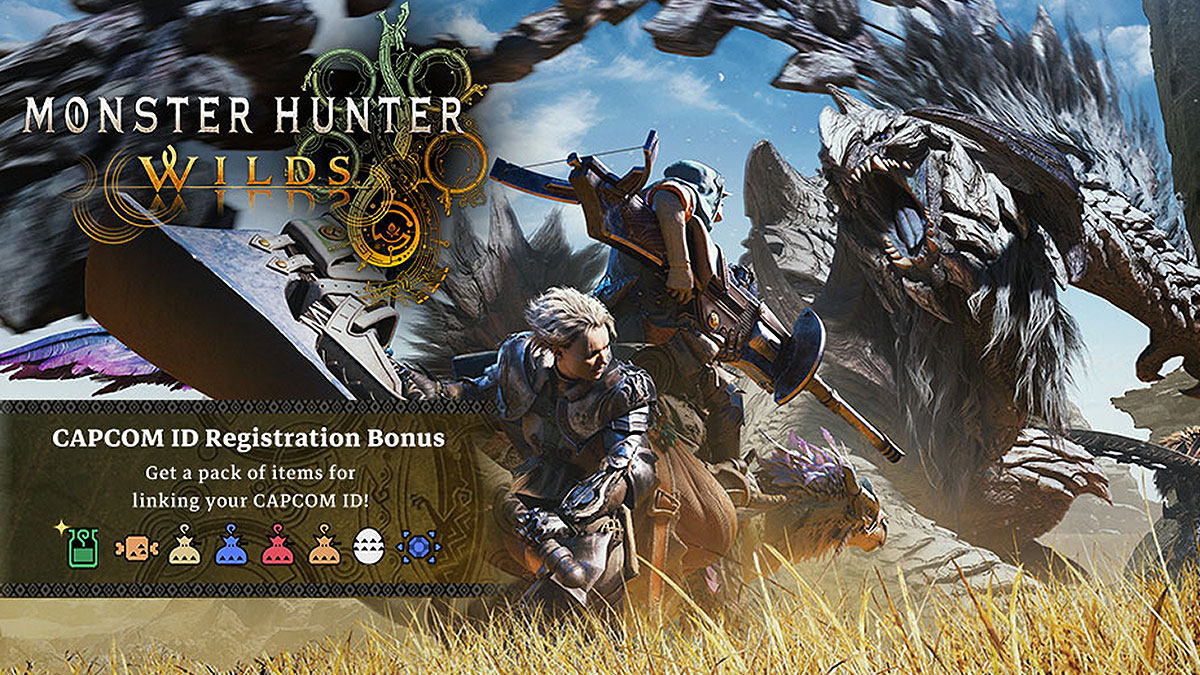
What’s an online game without asking you to make an account for a third-party site or platform these days? For those playing Monster Hunter, you might have heard of CAPCOM ID. It is a free account that allows you to access and connect to Capcom services. While it may feel like another hoop to jump through, thankfully it’s completely optional — but the process is quick and the bonuses are worth it. Especially if you have just taken your first step in the Monster Hunter universe. If you want freebies to start your hunt, here’s how to link your CAPCOM ID and claim some juicy rewards in Monster Hunter Wilds.

How to Link Your CAPCOM ID
How to Link Your CAPCOM ID for Monster Hunter Wilds
Image source: Capcom via Monster Hunter HQ
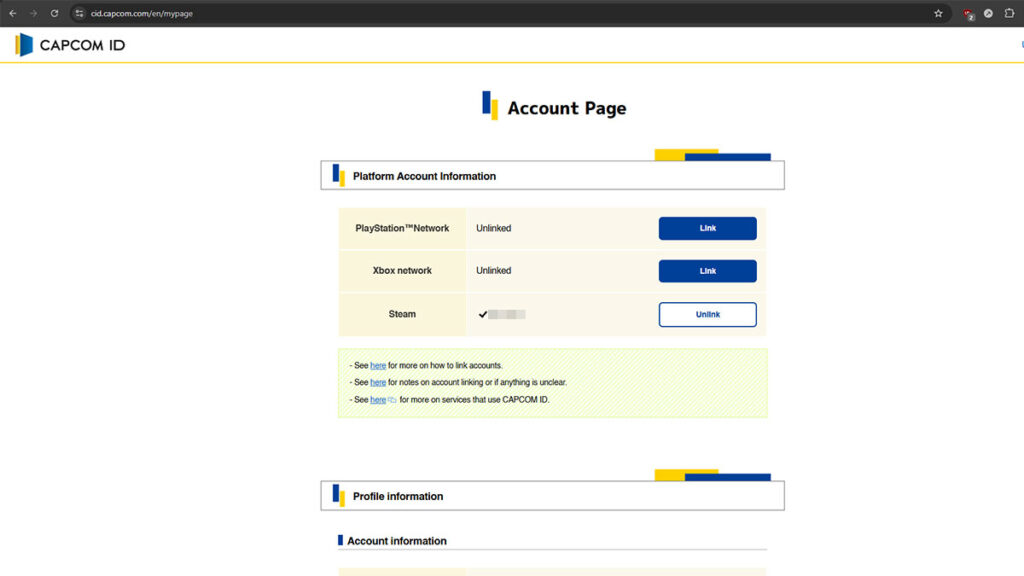
  1. Open the CAPCOM ID site.
  2. Create a new account or log in with an existing one.
  3. Go to your ‘Account Page.’ This page should be automatically displayed after you log in.
  4. On the ‘Platform Account Information’ section, press the blue ‘Link’ button for the platform account you want to link.
  5. Click the ‘Link with [Platform of Your Choosing]’ button. PlayStation, Xbox, and PC Steam account linking are available.
  6. Enter the login information for the platform account you want to link.
  7. “You have successfully linked with [platform]” message should appear and your account should now be linked. Confirm it by going back to the ‘Platform Account Information’ section on the ‘Account Page.’

Currently, CAPCOM ID account linking supports four games and one website. Monster Hunter Wilds, Monster Hunter Puzzles: Felyne Isles, Street Fighter 6, Exoprimal, and Resident Evil Portal.

If you previously have made a Capcom Account or used ResidentEvil.net, your account has been migrated to CAPCOM ID on October 2020. You can safely use your Capcom Account information to login to CAPCOM ID services after agreeing to the updated terms of services.

CAPCOM ID Link Bonus in Monster Hunter Wilds
Support Counter NPC
Image source: Capcom via Monster Hunter HQ (Click to expand)
CAPCOM ID Link Bonus in Monster Hunter Wilds
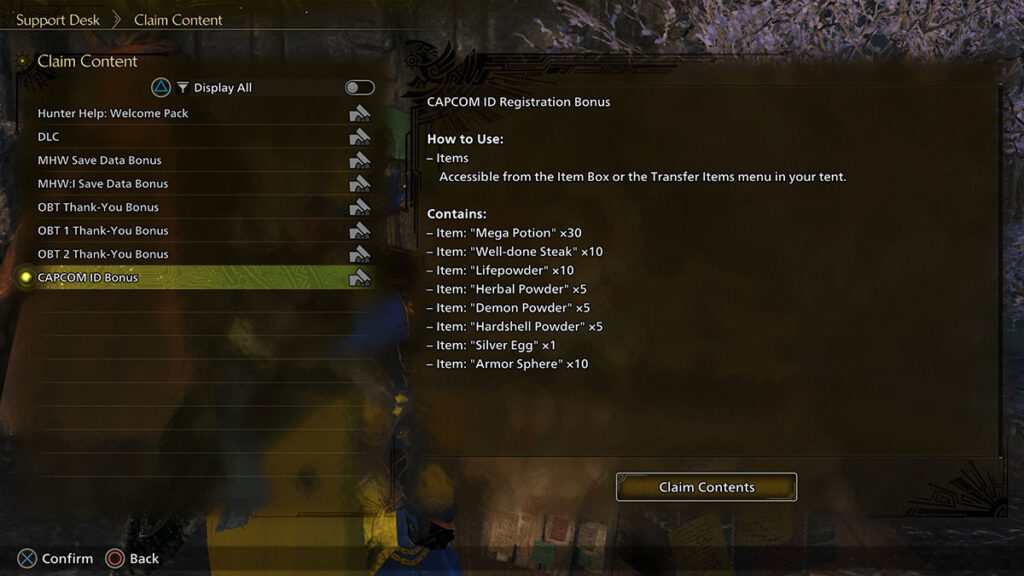
Image source: Capcom via Monster Hunter HQ (Click to expand)

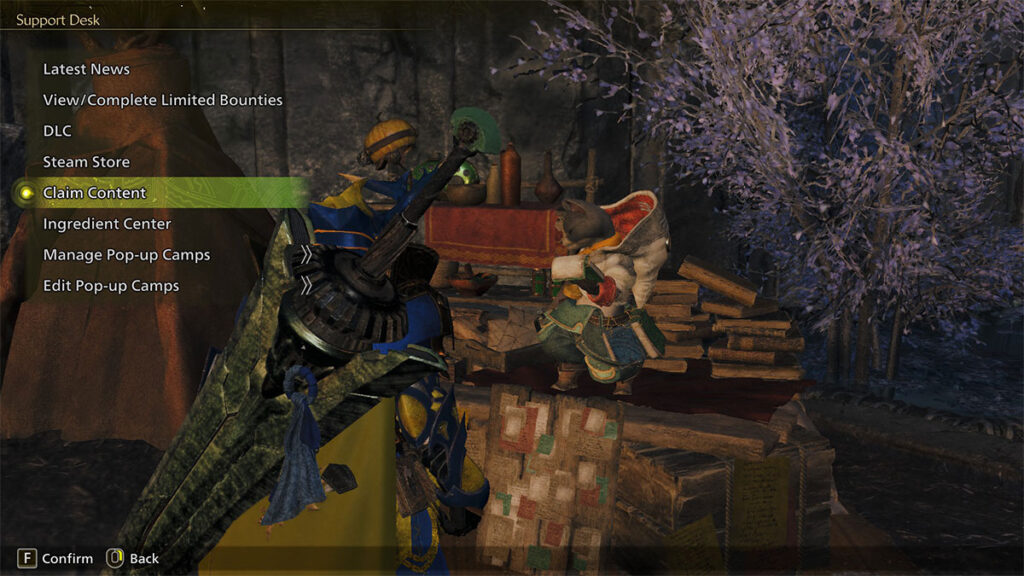
Successfully connecting your CAPCOM ID with the account will reward you with consumables in Monster Hunter Wilds. These items, along with open beta bonuses, can be claimed through the ‘Claim Content’ option of a Support Desk NPC at any in-game Base Camp:

  • Mega Potions x30.
  • Well-Done Steaks x10.
  • Lifepowders x10.
  • Armor Spheres x10.
  • Herbal Powders x5.
  • Demon Powders x5.
  • Hardshell Powders x5.
  • Silver Egg x1.

Linking your CAPCOM ID — and remembering more IDs and passwords — may be a bit of a hassle. But fortunately, free bonuses are always a win. If you don’t mind adding another account to your ever-expanding password manager, then quickly grab the bonuses and get back to hunting!

Share. Facebook Twitter Pinterest Reddit Email
Sidharta F. Rasidi
  • Website

Related Articles

Which Monster Hunter Games Have Crossplatform Play and Cross-Save? Full List Explained

Everything Coming to the Second Closed Beta of Monster Hunter Outlanders

MH Outlanders 2nd Beta Test Announcement Reveals Two New Adventurer Partners with Unseen Movesets Yet

Add A Comment
Leave A Reply Cancel Reply

Features

Everything Coming to the Second Closed Beta of Monster Hunter Outlanders

Monster Hunter Outlanders Might Just Be the True MH Wilds We’ve All Been Waiting For

Is Monster Hunter Wilds Feasible on Switch 2? Let’s Talk Quick Math

MH Outlanders Will Have ‘Overpowered’ Gacha Partners, Unlimited Quest Timer & Retries, Playtesters Said

Popular Guides

What Does Affinity Do In Monster Hunter Wilds? Explained & Essential Armor Skills

The weapon stat any min-maxing Hunters need to know

How Much Did MH Wilds’ January Patch Actually Improve Performance? Answered

Spoiler alert: the game runs better now!

Where To Find Nu Yaya in Monster Hunter Wilds

They are cute when they are still small

Which Monster Hunter Games Have Crossplatform Play and Cross-Save? Full List Explained

April 28, 2026

Everything Coming to the Second Closed Beta of Monster Hunter Outlanders

April 2, 2026

MH Outlanders 2nd Beta Test Announcement Reveals Two New Adventurer Partners with Unseen Movesets Yet

March 29, 2026

What Does Affinity Do In Monster Hunter Wilds? Explained & Essential Armor Skills

© 2026 MonsterHunterHQ

MonsterHunterHQ is an unofficial Monster Hunter fan site and is in no way affiliated with Capcom, Tencent, Niantic, Inc., or FromSoftware Inc. Monster Hunter and the Monster Hunter logos are the property and trademarks of Capcom.
  • About Us
  • Meet Our Team
  • Editorial Guidelines
  • Terms of Use
  • Privacy Policy

Type above and press Enter to search. Press Esc to cancel.