

Close Menu
  • News
  • Guides
    • Grounded 2
    • Wild Hearts
    • Monster Hunter Wilds
    • Monster Hunter World
    • Monster Hunter Stories 2
    • Monster Hunter Stories 3
    • Monster Hunter Now
    • Monster Hunter Rise
    • Monster Hunter Outlanders
  • Features
  • Guard Up Tool
Facebook X (Twitter) Instagram
Trending
  • Monster Hunter Outlanders Could Take Hunters Beyond Aesoland in Future Updates, Says Capcom
  • Monster Hunter Outlanders: Best Weapon Tier List, Explained
  • Does Monster Hunter Outlanders Support Bluetooth Controllers? Answered
  • Monster Hunter Outlanders: Active Redeem Codes (October 2026)
  • How to Reroll and Edit Character in Monster Hunter Outlanders
  • Can You Play Monster Hunter Outlanders on Emulators? Answered
  • Complete Adventurers Tier List for Monster Hunter Outlanders
  • 7 Best Things to Do Daily in Monster Hunter Outlanders
Monster Hunter HQMonster Hunter HQ
  • News
  • Guides
    • Grounded 2
    • Wild Hearts
    • Monster Hunter Wilds
    • Monster Hunter World
    • Monster Hunter Stories 2
    • Monster Hunter Stories 3
    • Monster Hunter Now
    • Monster Hunter Rise
    • Monster Hunter Outlanders
  • Features
  • Guard Up Tool
Monster Hunter HQMonster Hunter HQ
Home » Monster Hunter Wilds Finally Lets You Play All Event Quests Offline
Monster Hunter Wilds Finally Lets You Play All Event Quests Offline
Image source: Capcom

Monster Hunter Wilds Finally Lets You Play All Event Quests Offline

0
By Sidharta F. Rasidi on July 28, 2026 Gaming, Monster Hunter Wilds, News, Nintendo, PC, PlayStation, Xbox

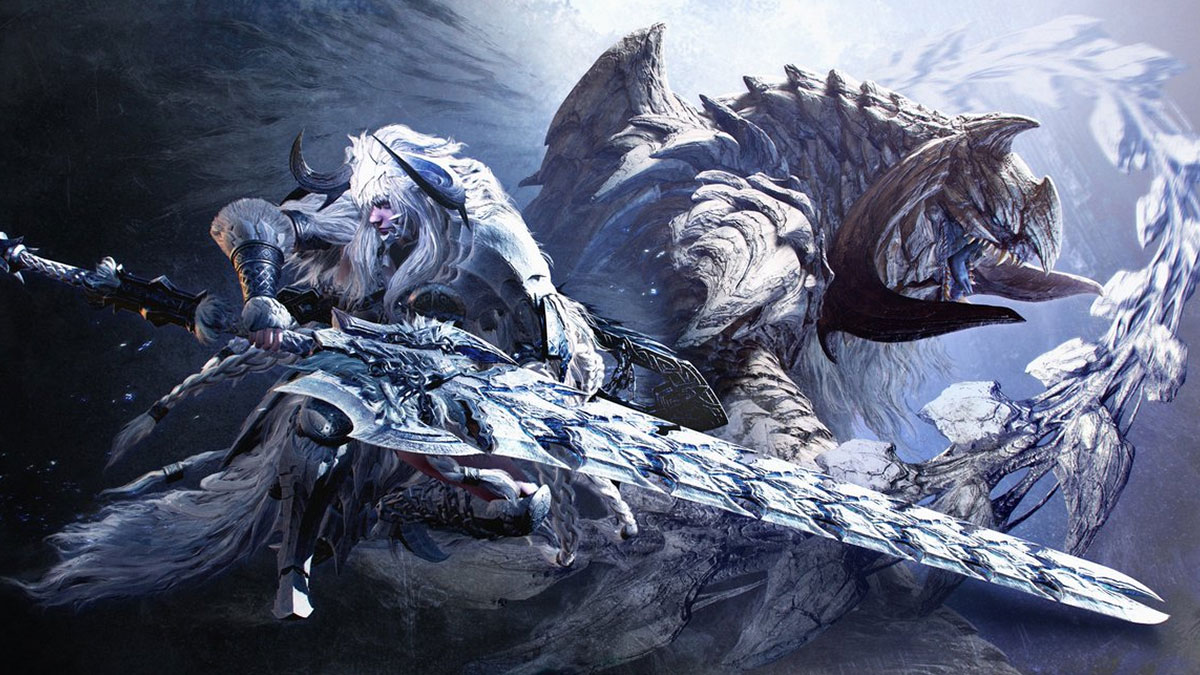
Capcom announced that on August 4, Monster Hunter Wilds is getting Ver. 1.042 update along with one of its biggest additions yet. No, it’s not the arrival of Arch Tempered Yian Kut-Ku — instead, it will make all Event and Challenge Quests in Monster Hunter Wilds playable offline. Yes, that means it’s a return to the series’ handheld roots, where you don’t need internet to take on special missions and monsters.

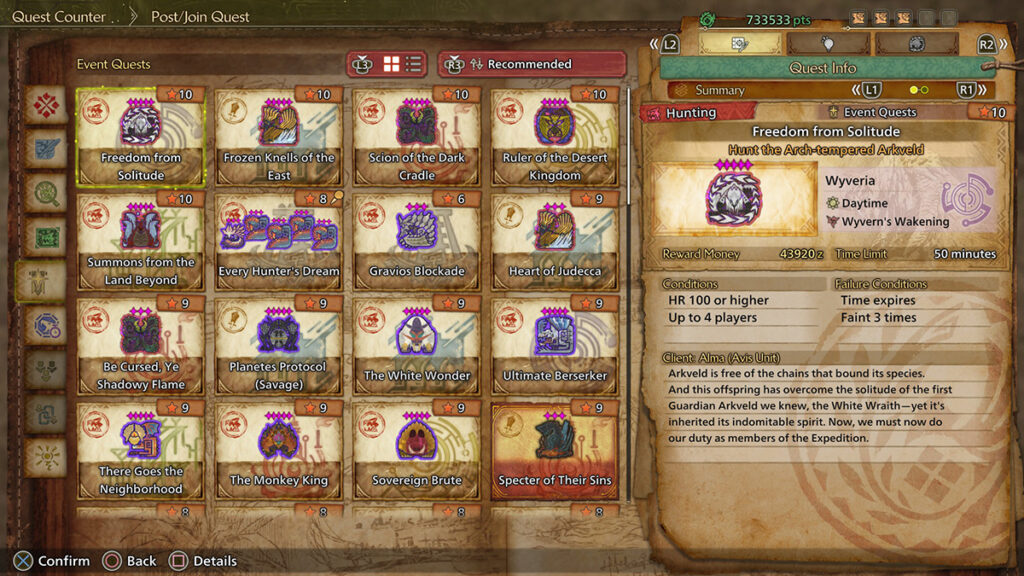
According to MonsterHunterHQ’s Event Quest guide, the game currently features 54 Event Quests, with 12 of them unavailable to be played offline. Most of those are the brutal ★9 and ★10 endgame hunts, although the Fender guitar collab is also stuck behind the always-online wall.

With Version 1.042, however, Capcom promises that all Event and Challenge Quests that previously required an online connection can now be played offline. That includes the brutally difficult ‘Special Assignment: Slay Gogmazios,’ ‘Freedom from Solitude,’ and ‘The Dreamer’s Stairway.’ The delightfully devilish festival-exclusive ‘Just What the Doctor Ordered’ is also becoming a permanent addition to the game.
All Monster Hunter Wilds Event Quest Rewards
Image source: Capcom via Monster Hunter HQ

That’s not all, though, as the Version 1.042 update also lays the groundwork for the renewed Monster Hunter Wilds Prologue Demo, which launches on August 5 for PS5, Xbox Series X, and PC. Those who haven’t played the full game will be able to transfer their save data from the demo. The original demo build itself was removed from storefronts after Capcom started cleaning up the base game’s stutters and framedrops with Title Update 4.

Beyond those noteworthy additions, the patch also reorganizes the Event Quest list to be more user-friendly. It also fixes some bugs affecting monsters, like the minor but very noticeable Guardian Fulgur Anjanath’s nose texture glitch. Best of all, of course, another performance improvement. Capcom said it’s putting in ‘measures’ to reduce stuttering when using NVIDIA DLSS with a frame-rate cap.

Funny enough, this isn’t the first time Monster Hunter has locked Event Quests behind always-online requirements. The original Monster Hunter on PS2 made Kirin available only during special event periods and required players to connect online to access the hunt. But Hunters eventually found ways around the restriction using GameShark and Action Replay cheat codes. Monster Hunter Tri on Wii also featured online-only and rotating Event Quests before 3 Ultimate made them permanently available. Then there’s World, which unfortunately still locks the Black Dragon hunts — Alatreon and Fatalis — behind online rooms.

It’s definitely not the most significant update Monster Hunter Wilds has ever received. But for Hunters who hate FOMO and content disappearing into the shadow realm, this might be one of the game’s most important patches yet.

Share. Facebook Twitter Pinterest Reddit Email
Sidharta F. Rasidi
  • Website

Related Articles

Monster Hunter Outlanders Could Take Hunters Beyond Aesoland in Future Updates, Says Capcom

Monster Hunter Outlanders: Best Weapon Tier List, Explained

Does Monster Hunter Outlanders Support Bluetooth Controllers? Answered

Add A Comment
Leave A Reply Cancel Reply

Features

7 Best Things to Do Daily in Monster Hunter Outlanders

Complete Buddies Tier List for Monster Hunter Outlanders

Capcom’s New Monster Hunter Wilds Demo Arrives With Old PC Questions Still Hanging Around

10 Monsters We’d Love to See in Monster Hunter Wilds: Ascendance

Popular Guides

Essential Mods to Massively Improve Your PC Monster Hunter Wilds Performance

Turn that low, unstable framerate upside-down

Monster Hunter Now: Complete Hunting Horn Guide from Noob to Pro

Time to sound the Horn of war

Balahara Full Monster Guide (Strategies, Loot Table, Craftable Items) for Monster Hunter Wilds

The sneaky sand monster

Monster Hunter Outlanders Could Take Hunters Beyond Aesoland in Future Updates, Says Capcom

October 31, 2026

Monster Hunter Outlanders: Best Weapon Tier List, Explained

October 30, 2026

Does Monster Hunter Outlanders Support Bluetooth Controllers? Answered

October 29, 2026

Monster Hunter Outlanders: Active Redeem Codes (October 2026)

© 2026 MonsterHunterHQ

MonsterHunterHQ is an unofficial Monster Hunter fan site and is in no way affiliated with Capcom, Tencent, Niantic, Inc., or FromSoftware Inc. Monster Hunter and the Monster Hunter logos are the property and trademarks of Capcom.
  • About Us
  • Meet Our Team
  • Editorial Guidelines
  • Terms of Use
  • Privacy Policy

Type above and press Enter to search. Press Esc to cancel.