

Close Menu
  • News
  • Guides
    • Grounded 2
    • Wild Hearts
    • Monster Hunter Wilds
    • Monster Hunter World
    • Monster Hunter Stories 2
    • Monster Hunter Stories 3
    • Monster Hunter Now
    • Monster Hunter Rise
    • Monster Hunter Outlanders
  • Features
  • Guard Up Tool
Facebook X (Twitter) Instagram
Trending
  • How to Reroll and Edit Character in Monster Hunter Outlanders
  • Can You Play Monster Hunter Outlanders on Emulators? Answered
  • Complete Adventurers Tier List for Monster Hunter Outlanders
  • 7 Best Things to Do Daily in Monster Hunter Outlanders
  • Monster Hunter Outlanders: Best Settings to Change for a Classic MH Experience
  • How to Use Photo Mode in Monster Hunter Outlanders
  • How to Get Layered Armor and Weapons in Monster Hunter Outlanders
  • Is There a Gathering Hall in Monster Hunter Outlanders? Answered
Monster Hunter HQMonster Hunter HQ
  • News
  • Guides
    • Grounded 2
    • Wild Hearts
    • Monster Hunter Wilds
    • Monster Hunter World
    • Monster Hunter Stories 2
    • Monster Hunter Stories 3
    • Monster Hunter Now
    • Monster Hunter Rise
    • Monster Hunter Outlanders
  • Features
  • Guard Up Tool
Monster Hunter HQMonster Hunter HQ
Home » How to Use Photo Mode in Monster Hunter Outlanders
How to Use Photo Mode in Monster Hunter Outlanders
Image source: TiMi Studio, Capcom via Monster Hunter HQ

How to Use Photo Mode in Monster Hunter Outlanders

0
By Sidharta F. Rasidi on October 28, 2026 Gaming, Guides, Monster Hunter Outlanders

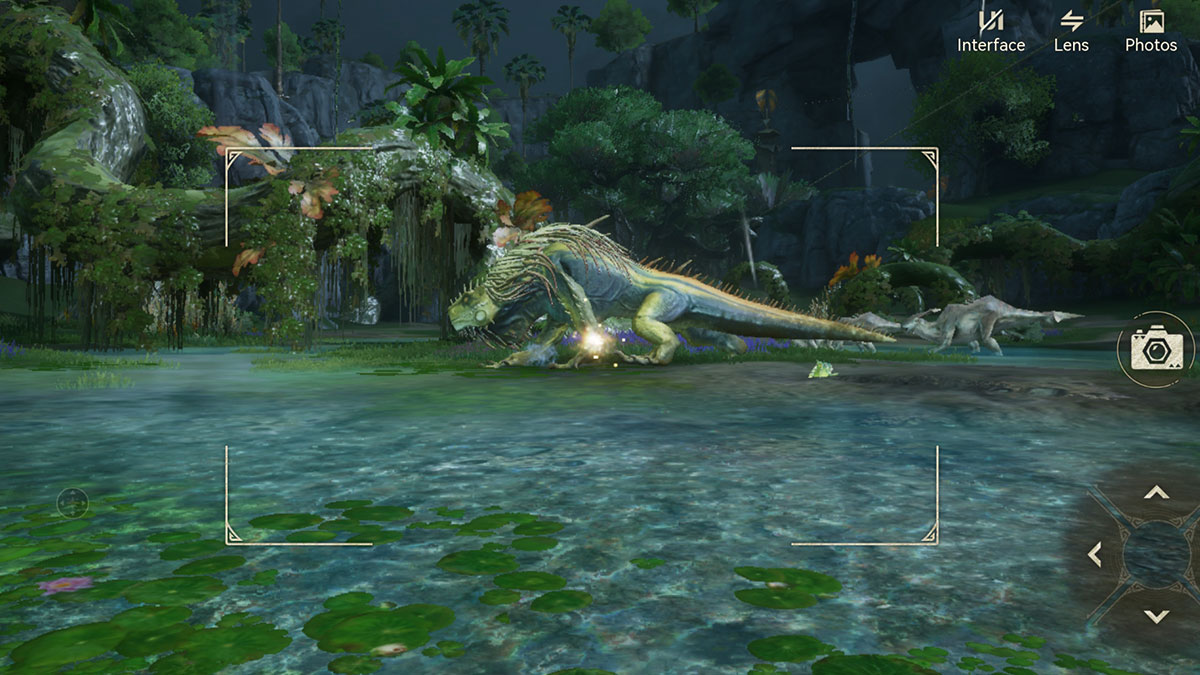
As a full-fledged open-world game, Monster Hunter Outlanders features plenty of scenic locations and giant monsters. Those combined create many opportunities to capture memorable moments, or sometimes a side quest might ask you to take a picture or two. Now, whether you want to take a commemorative photo with fellow Adventurers or complete that task, here’s how to access Monster Hunter Outlanders‘ Photo Mode.

Is There a Photo Mode in Monster Hunter Outlanders?
Is There a Photo Mode in Monster Hunter Outlanders?
Image source: TiMi Studio, Capcom via Monster Hunter HQ

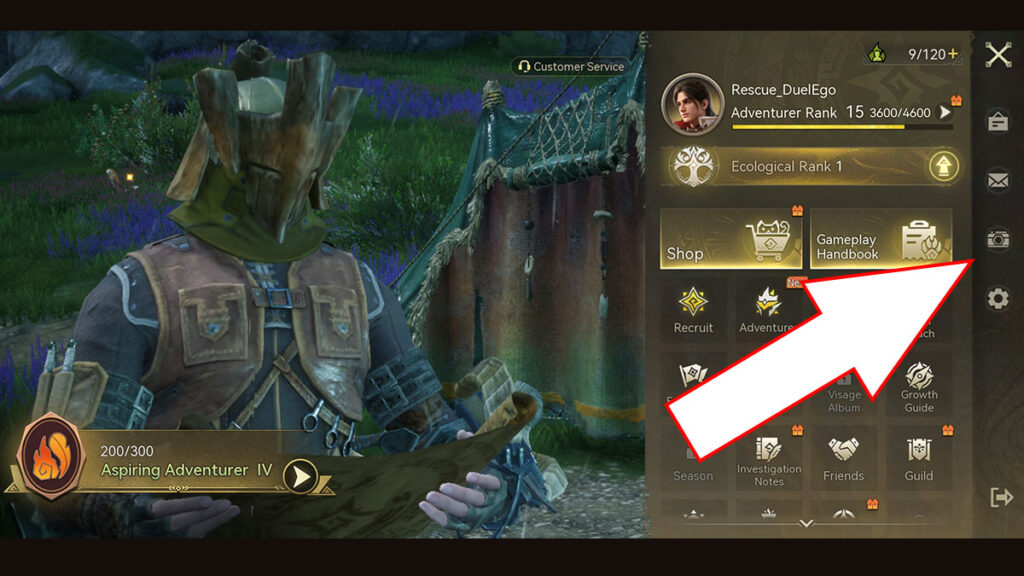
Yes, Monster Hunter Outlanders does have a Photo Mode that lets you freely adjust your camera and capture clean screenshots. To access the Photo Mode, simply follow these steps:

  1. Open the main menu by tapping the icon in the upper-right corner of your screen. Or if you’re using a Bluetooth gamepad, press the Start/Menu button.
  2. Select the Camera icon from the menu.
  3. You can start adjusting the camera angle and zoom level. You can also switch between first-person view and a free third-person camera by pressing the Lens option.
  4. Click on the Interface button to remove the UI elements.
  5. Press the camera button once you’re happy with the composition.

All Photo Mode Settings and Gestures
All Photo Mode Settings and Gestures
Image source: TiMi Studio, Capcom via Monster Hunter HQ

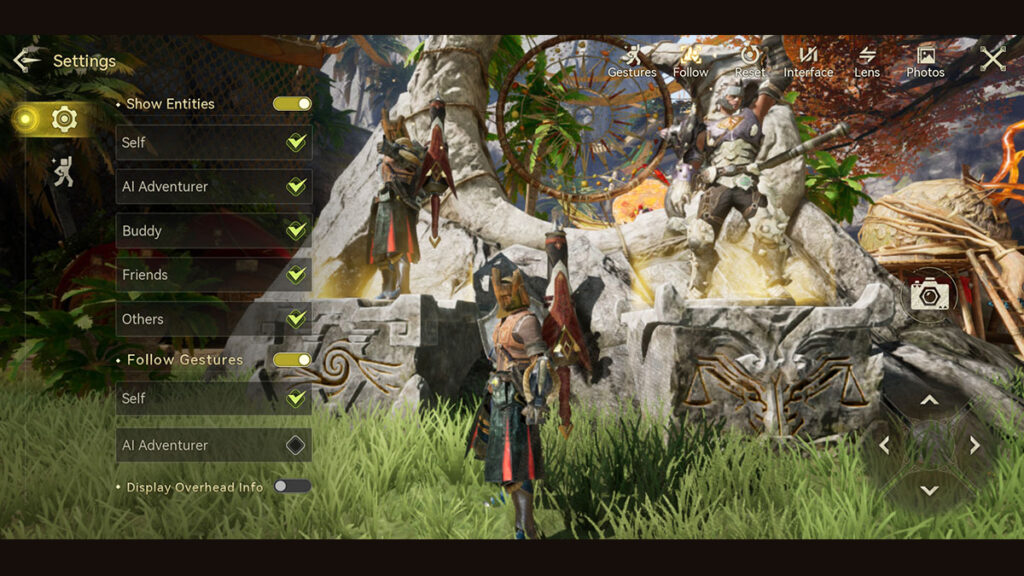
Select the Settings button on the left side of the Photo Mode interface for more customization options:

  • Show Entities.
    • Self.
    • AI Adventurer.
    • Buddy.
    • Friends.
    • Others: Include select structures.
  • Follow Gestures.
    • Self.
    • AI Adventurer.
  • Display Overhead Info:
  • Default Third-Person View: Locks the camera to your Hunter during third-person view.
  • Gestures:
    • Wave.
    • Hands on Hips.
    • Victory Pose.
    • Sit.

Unfortunately, though, Monster Hunter Outlanders currently doesn’t offer filter options in its Photo Mode. This means you can’t apply unique visual presets or color effects directly from the camera interface. However, you can still change the game’s overall appearance through Settings > Graphics > Filter Effect.

Keep in mind that the Filter Effect setting affects the game’s overall visuals rather than Photo Mode exclusively. You will need to adjust it every time outside the Photo Mode interface before taking your screenshots.

Share. Facebook Twitter Pinterest Reddit Email
Sidharta F. Rasidi
  • Website

Related Articles

How to Reroll and Edit Character in Monster Hunter Outlanders

Can You Play Monster Hunter Outlanders on Emulators? Answered

Complete Adventurers Tier List for Monster Hunter Outlanders

Add A Comment
Leave A Reply Cancel Reply

Features

Capcom’s New Monster Hunter Wilds Demo Arrives With Old PC Questions Still Hanging Around

10 Monsters We’d Love to See in Monster Hunter Wilds: Ascendance

Everything Coming to the Second Closed Beta of Monster Hunter Outlanders

Monster Hunter Outlanders Might Just Be the True MH Wilds We’ve All Been Waiting For

Popular Guides

Which Monster Hunter Games Have Crossplatform Play and Cross-Save? Full List Explained

Play with your friends across devices in these Monster Hunter games

How to Unlock and Beat the ‘Proof of a Hero’ Quest in MH Wilds

The proof is in the nameplate

Monster Hunter Wilds Photo Mode Guide: Where Do Your Screenshots Go?

Say Kunafa Cheese!

How to Reroll and Edit Character in Monster Hunter Outlanders

October 28, 2026

Can You Play Monster Hunter Outlanders on Emulators? Answered

October 28, 2026

Complete Adventurers Tier List for Monster Hunter Outlanders

October 28, 2026

7 Best Things to Do Daily in Monster Hunter Outlanders

© 2026 MonsterHunterHQ

MonsterHunterHQ is an unofficial Monster Hunter fan site and is in no way affiliated with Capcom, Tencent, Niantic, Inc., or FromSoftware Inc. Monster Hunter and the Monster Hunter logos are the property and trademarks of Capcom.
  • About Us
  • Meet Our Team
  • Editorial Guidelines
  • Terms of Use
  • Privacy Policy

Type above and press Enter to search. Press Esc to cancel.