

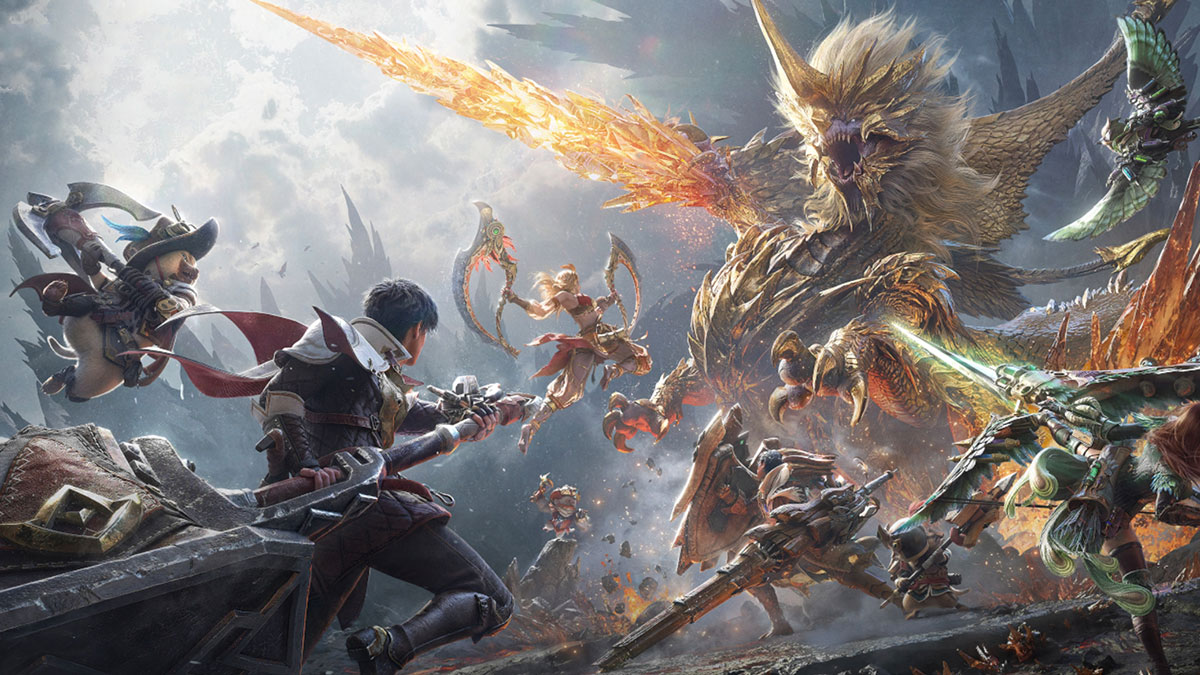
Monster Hunter Outlanders might be Capcom and TiMi Studio’s ambitious attempt at bringing an open-world hunting experience to mobile devices. But between persistent virtual buttons, prompts, and automatic actions, the vibe can be quickly off-putting for series veterans. If you’re still keen on getting your hands on it, though, our Monster Hunter Outlanders recommended settings might help ease your woes.
Keep in mind that these settings will not disable Monster Hunter Outlanders‘ mobile-first interface elements and behaviors. Nevertheless, they make the overall experience closer to a traditional Monster Hunter game, especially if you use a Bluetooth gamepad.
Best Mode Selection/Controls Settings for Monster Hunter Outlanders
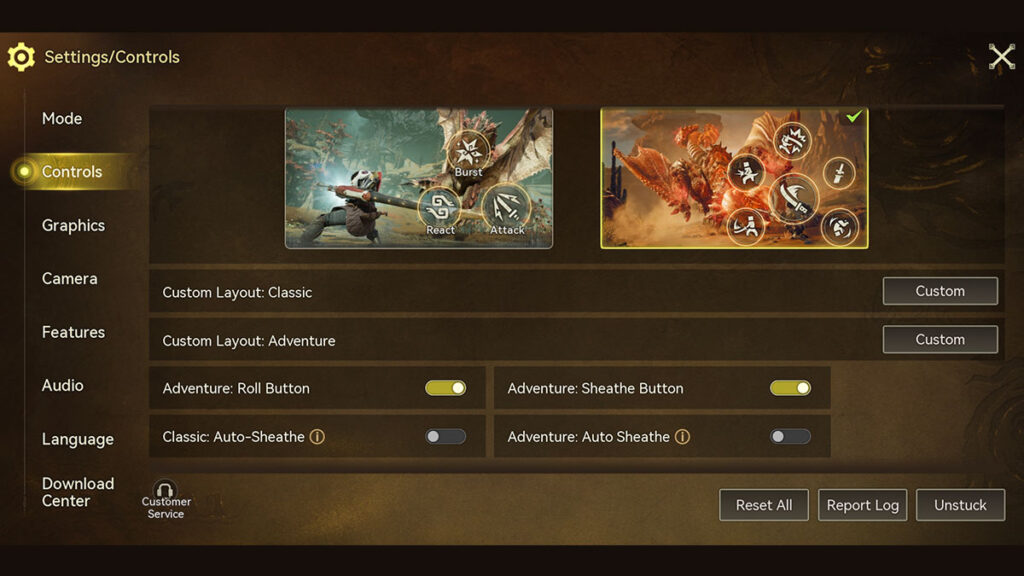
Choose Classic Mode as it offers a more complete set of virtual buttons than Adventure Mode. However, this setting won’t affect the control scheme when using a Bluetooth gamepad.
Controls
Click on the Custom button of the Custom Layout: Classic option. Then tap each corresponding virtual button to adjust.
| Setting | Recommended |
|---|---|
| Buddy Ultimate (Positions 1–4) | Size 0%, Transparency 0% |
| Ultimate (Positions 1–4) | Size 0%, Transparency 0% |
| Target Lock-On | Size 0%, Transparency 0% |
Basic Controls
The goal here is to disable most automatic actions and give you more direct control over your Hunter.
| Setting | Recommended |
|---|---|
| Classic: Auto-Sheathe | Off |
| Joystick Modes for Charging and Changing Direction Change | Left Joystick |
| Lock-On: Show Part Status | Off |
| Lock-On: Radial Menu Sync | Off |
| Auto-Deploy Glider | Off |
| Auto-Use Facilities | Off |
| Auto-Use Items When Selected in Radial Menu | Off |
| Enable Movement Joystick | On |
Best Camera Settings
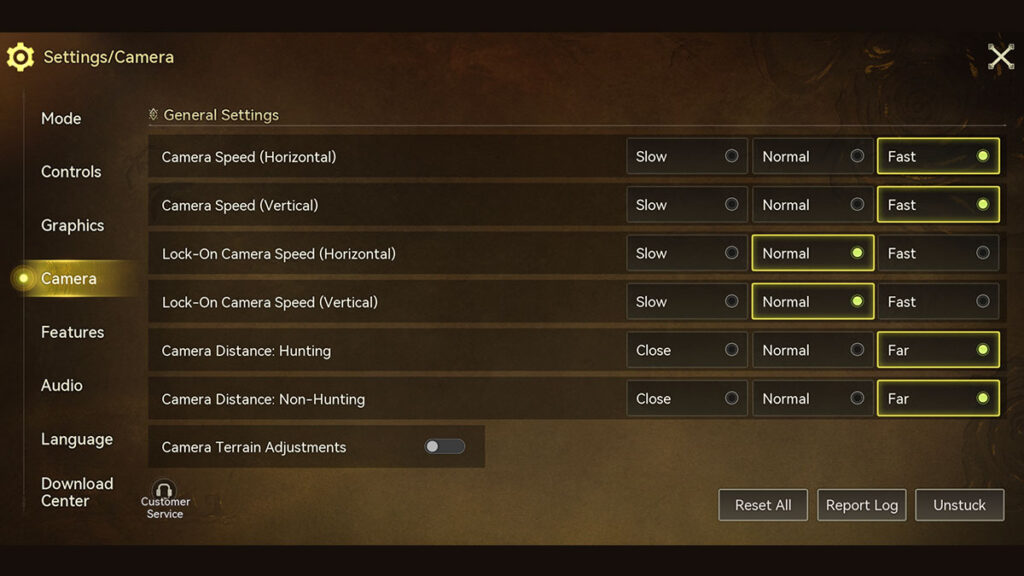
Setting both camera distances to Far gives you a wider view of your surroundings. Meanwhile, disabling Camera Terrain Adjustment reduces automatic camera movement when traversing uneven terrain.
| Setting | Recommended |
|---|---|
| Camera Speed (Horizontal) | Fast |
| Camera Speed (Vertical) | Fast |
| Camera Distance: Hunting | Far |
| Camera Distance: Non-Hunting | Far |
| Camera Terrain Adjustment | Off |
Essential Features Options to Tweak in Monster Hunter Outlanders
Gameplay
Scoutflies are optional. Leave them enabled if you enjoy Monster Hunter World‘s tracking, disable them for a more classic experience.
| Setting | Recommended |
|---|---|
| Enable Scoutflies | On/Off |
| Auto-Carve | Off |
| Ultimate Side Portrait Pop-up | Off |
| Enable Main Adventurer Ultimate Close-Up | Off |
| Enable Squadmate Ultimate Close-Up in Solo Mode | Off |
Accessibility
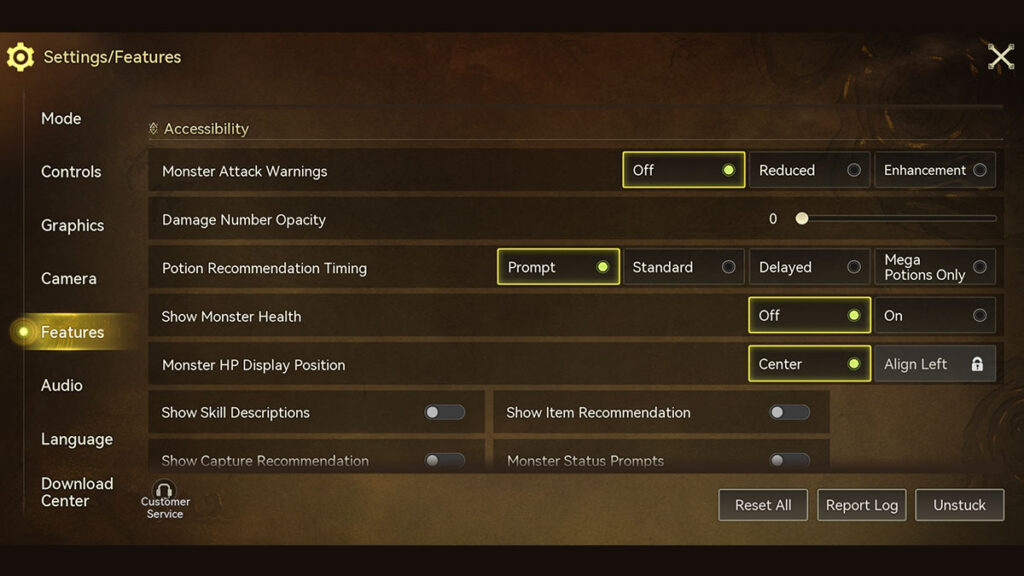
These settings remove much of the visual assistance that makes Outlanders feel different from traditional Monster Hunter games. Note that Immersive Mode is one of the most important settings to enable — as it relocates your Hunter’s Health and Stamina bars to the upper-left corner during hunts.
| Setting | Recommended |
|---|---|
| Monster Attack Warnings | Off |
| Damage Number Opacity | 0/100 |
| Potion Recommendation Timing | Prompt/Standard |
| Show Monster Health | Off |
| Show Skill Description | Off |
| Show Item Recommendation | Off |
| Show Capture Recommendation | Off |
| Monster Status Prompt | Off |
| In-Match DPS Leaderboard | Off |
| Hide Radar in Combat | Off |
| Immersive Mode | On |
| Classic: Skill Prompts | Off |
Best Graphics Settings for Smooth Gameplay
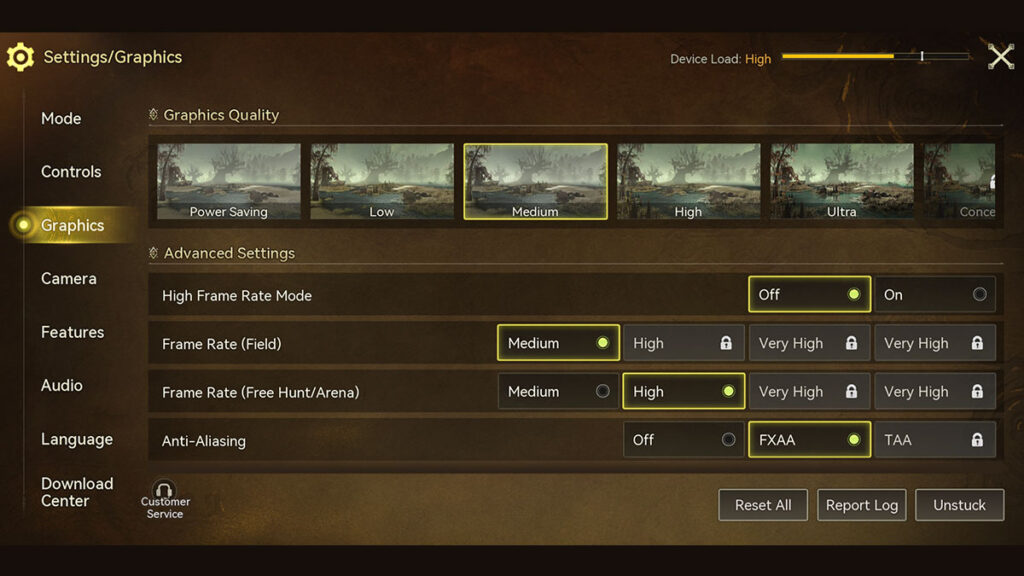
The following settings were tested on a Poco X7 Pro Android phone with the specs below. TiMi Studio recommends Android 12.0 phones with a Snapdragon 845 chipset or an iPhone XR with iOS 17. Note that High-Frame Rate Mode may force the game to run on Low, depending on your device’s hardware.
- Chipset: MediaTek Dimensity 8400-Ultra.
- GPU: Mali-G720 MC7.
- Display: 120Hz AMOLED.
- RAM: 8GB.
You might also want to up the game’s contrast, saturation, or color temperature in the Filter Effect option.
| Setting | Recommended |
|---|---|
| Graphics Quality | High |
| Anti-Aliasing | FXAA |
| Other Players’ Visual Effects | Reduced |
