

Close Menu
  • News
  • Guides
    • Grounded 2
    • Wild Hearts
    • Monster Hunter Wilds
    • Monster Hunter World
    • Monster Hunter Stories 2
    • Monster Hunter Stories 3
    • Monster Hunter Now
    • Monster Hunter Rise
    • Monster Hunter Outlanders
  • Features
  • Guard Up Tool
Facebook X (Twitter) Instagram
Trending
  • Does Monster Hunter Outlanders Support Bluetooth Controllers? Answered
  • Capcom Wants Monster Hunter Wilds to Surpass World’s Sales Amid Expansion Announcement and Demo Launch
  • Monster Hunter Wilds vs World Comparisons: Which Hunting Game Should You & Your Friends Buy?
  • Capcom’s New Monster Hunter Wilds Demo Arrives With Old PC Questions Still Hanging Around
  • Monster Hunter Wilds Datamine Suggests Switch 2 Port Targets Up to 1440p, 40FPS
  • Monster Hunter Wilds Finally Lets You Play All Event Quests Offline
  • Monster Hunter: World Surpasses 30 Million Copies Sold
  • Palworld 1.0 Release Goes Beyond Pokémon, It Now Has Monster Hunter-Looking Pals Too
Monster Hunter HQMonster Hunter HQ
  • News
  • Guides
    • Grounded 2
    • Wild Hearts
    • Monster Hunter Wilds
    • Monster Hunter World
    • Monster Hunter Stories 2
    • Monster Hunter Stories 3
    • Monster Hunter Now
    • Monster Hunter Rise
    • Monster Hunter Outlanders
  • Features
  • Guard Up Tool
Monster Hunter HQMonster Hunter HQ
Home » How To Repair Items in Grounded 2
Grounded 2 How to Repair Items
Image Source: Obsidian Entertainment via Monster Hunter HQ

How To Repair Items in Grounded 2

0
By Julio La Pine on July 31, 2025 Game Guides, Gaming, Grounded 2, PC, Xbox

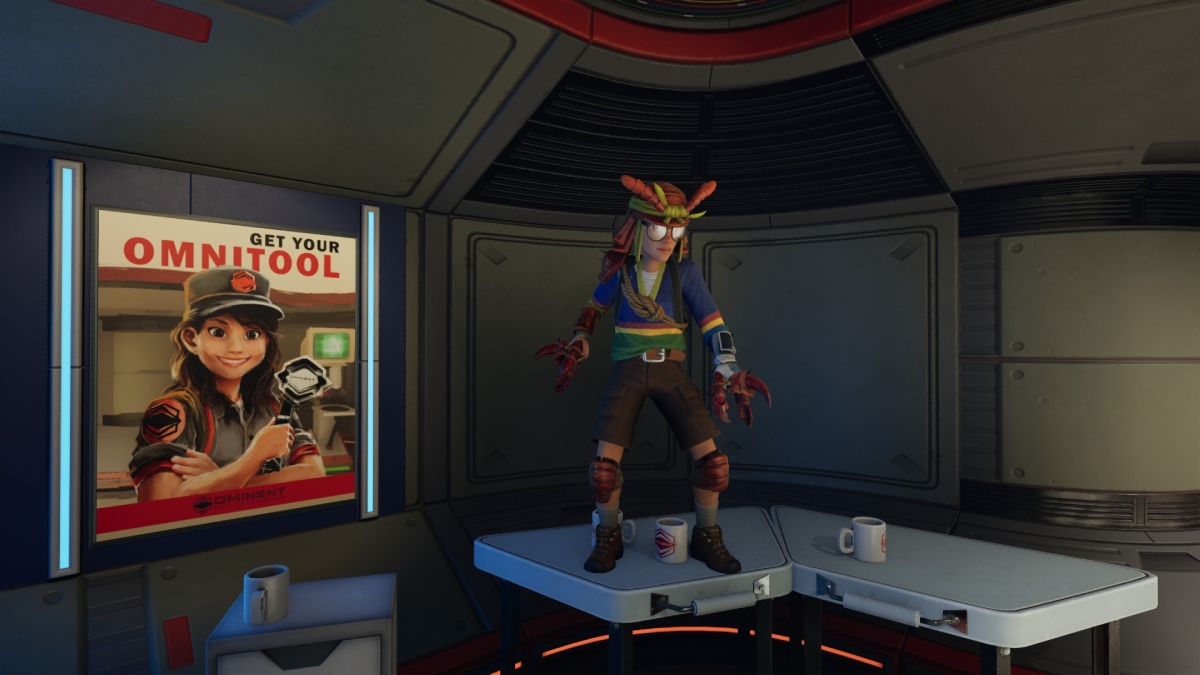
Like it or not, one of the common staples of survival/crafting games is item durability. Fortunately, many modern games have found a way to make this mechanic feel less annoying and much more manageable. Even if the game doesn’t tell you straight away, players can repair all items in Grounded 2. But since the menu is a bit hidden and not that evident, we’ve made a quick guide to show you how to bring all your items to top-notch condition without having to replace them.

How To Repair Weapons & Armor in Grounded 2
Repair Menu
Image Source: Obsidian Entertainment via Monster Hunter HQ

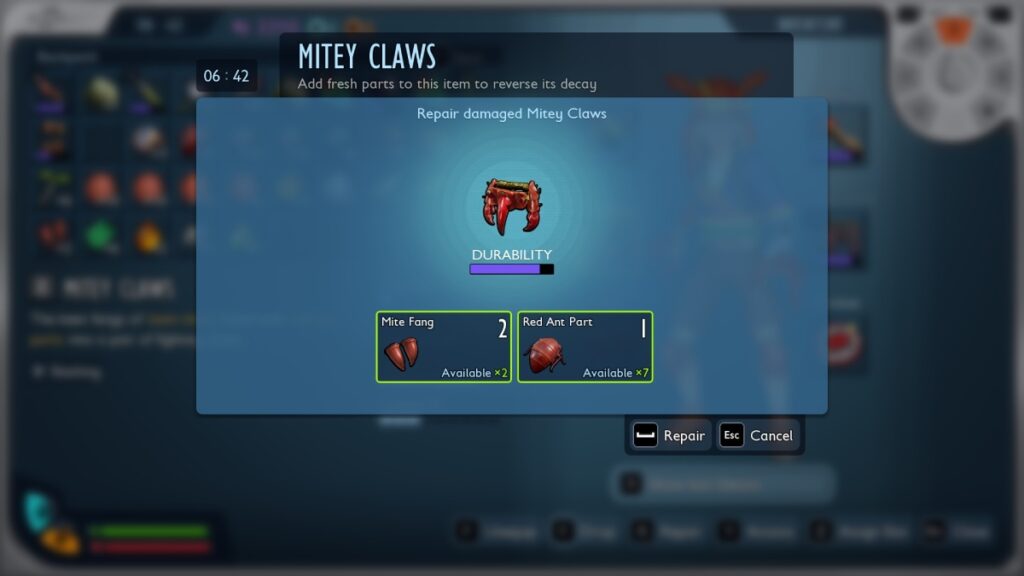
First, it is crucial to know that the only items you can repair in Grounded 2 are weapons and armor. The speed at which these items need to be repaired will vary depending on the difficulty, but assuming you’re playing on the standard one, which is medium, you’ll need to access this feature quite often.

If you want to repair any of your items, follow these steps:

  1. Open up your Inventory.
  2. Press “R” while selecting a weapon or armor piece.
  3. This will bring up the repair menu.
  4. Look at the materials you need to restore your item’s durability.

Each item will have different requirements, so it is important that you know where to find every resource. Normally, items will need the materials you used to craft them, albeit in smaller quantities. For example, if you want to repair your Red Ant armor set, you’ll need some Red Ant parts.

How To Repair Buildings and Crafting Stations
Ommi-Wrench
Image Source: Obsidian Entertainment via Monster Hunter HQ

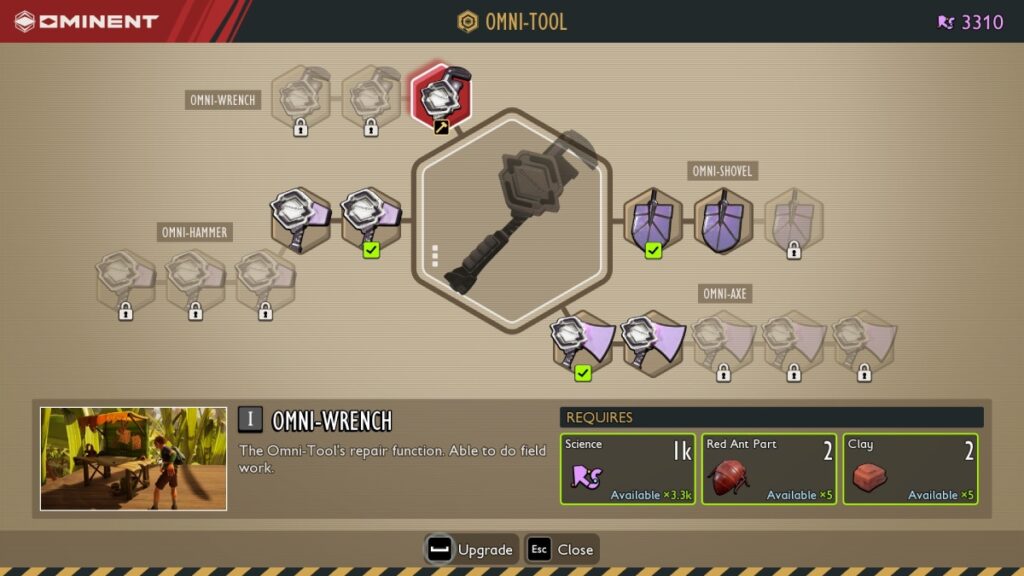
Besides repairing items in Grounded 2, there’s also one way to repair your structures, assuming some Buggies attack them. To do it, you’ll need to find a Ranger Station and unlock the Omni-Wrench tool. While it isn’t a priority, it is important to have it as soon as possible, especially if your base is around some dangerous territory.

You’ll need these resources to unlock the Omni-Wrench:

  • Science x1,000
  • Red Ant Part x2
  • Clay x2

All of these items are quite easy to get and should be around the starting area. You’ll be able to find a few just by following the main story.

In any case, once you have the Omni-Wrench, all you must do is approach a structure or station and repair it. It is pretty handy if you’re moving deep inside the park and into more dangerous areas, but at first, you might not have to use that much. Still, it is better to be safe than sorry.

Share. Facebook Twitter Pinterest Reddit Email
Julio La Pine
  • Website

Staff Writer for Monster Hunter HQ. Started his MH journey with World and quickly got addicted to it. He has spent more hours than he can count fighting Uth Duna, and will continue to do so until that gem drops. When not playing Monster Hunter, you'll find him in his favorite game ever: FFXIV or trying to add more mods to Project Zomboid.

Related Articles

Does Monster Hunter Outlanders Support Bluetooth Controllers? Answered

Monster Hunter Wilds vs World Comparisons: Which Hunting Game Should You & Your Friends Buy?

Monster Hunter Wilds Datamine Suggests Switch 2 Port Targets Up to 1440p, 40FPS

Add A Comment
Leave A Reply Cancel Reply

Features

Capcom’s New Monster Hunter Wilds Demo Arrives With Old PC Questions Still Hanging Around

10 Monsters We’d Love to See in Monster Hunter Wilds: Ascendance

Everything Coming to the Second Closed Beta of Monster Hunter Outlanders

Monster Hunter Outlanders Might Just Be the True MH Wilds We’ve All Been Waiting For

Popular Guides

Scarlet Forest Zone Guide (Camps, Materials, Farming Routes) for Monster Hunter Wilds

A dense area

Where to Get Speartuna Fin in Monster Hunter Wilds

Gone fishing

Where to Find the Monster Hunter Wilds Save File Location on PC

Never lose thousands of hours of progress again

Does Monster Hunter Outlanders Support Bluetooth Controllers? Answered

August 6, 2026

Capcom Wants Monster Hunter Wilds to Surpass World’s Sales Amid Expansion Announcement and Demo Launch

August 6, 2026

Monster Hunter Wilds vs World Comparisons: Which Hunting Game Should You & Your Friends Buy?

August 5, 2026

Capcom’s New Monster Hunter Wilds Demo Arrives With Old PC Questions Still Hanging Around

© 2026 MonsterHunterHQ

MonsterHunterHQ is an unofficial Monster Hunter fan site and is in no way affiliated with Capcom, Tencent, Niantic, Inc., or FromSoftware Inc. Monster Hunter and the Monster Hunter logos are the property and trademarks of Capcom.
  • About Us
  • Meet Our Team
  • Editorial Guidelines
  • Terms of Use
  • Privacy Policy

Type above and press Enter to search. Press Esc to cancel.