

Close Menu
  • News
  • Guides
    • Grounded 2
    • Wild Hearts
    • Monster Hunter Wilds
    • Monster Hunter World
    • Monster Hunter Stories 2
    • Monster Hunter Stories 3
    • Monster Hunter Now
    • Monster Hunter Rise
    • Monster Hunter Outlanders
  • Features
  • Guard Up Tool
Facebook X (Twitter) Instagram
Trending
  • Everything Coming to the Second Closed Beta of Monster Hunter Outlanders
  • MH Outlanders 2nd Beta Test Announcement Reveals Two New Adventurer Partners with Unseen Movesets Yet
  • What Does Affinity Do In Monster Hunter Wilds? Explained & Essential Armor Skills
  • How to Defeat Arkveld in Monster Hunter Stories 3
  • Monster Hunter Stories 3: Full Decoration List
  • Monster Hunter Stories 3: Is There a Hunter Party Member? Answered
  • All Recipe List & Locations in Monster Hunter Stories 3
  • How To Get an Ivory Lagiacrus in Monster Hunter Stories 3
Monster Hunter HQMonster Hunter HQ
  • News
  • Guides
    • Grounded 2
    • Wild Hearts
    • Monster Hunter Wilds
    • Monster Hunter World
    • Monster Hunter Stories 2
    • Monster Hunter Stories 3
    • Monster Hunter Now
    • Monster Hunter Rise
    • Monster Hunter Outlanders
  • Features
  • Guard Up Tool
Monster Hunter HQMonster Hunter HQ
Home » How to Use the Handy Gnat in Grounded 2
How to Use the Handy Gnat in Grounded 2
Image Source: Obsidian Entertainment via Monster Hunter HQ

How to Use the Handy Gnat in Grounded 2

0
By Julio La Pine on August 5, 2025 Game Guides, Gaming, Grounded 2, Guides, PC, Xbox

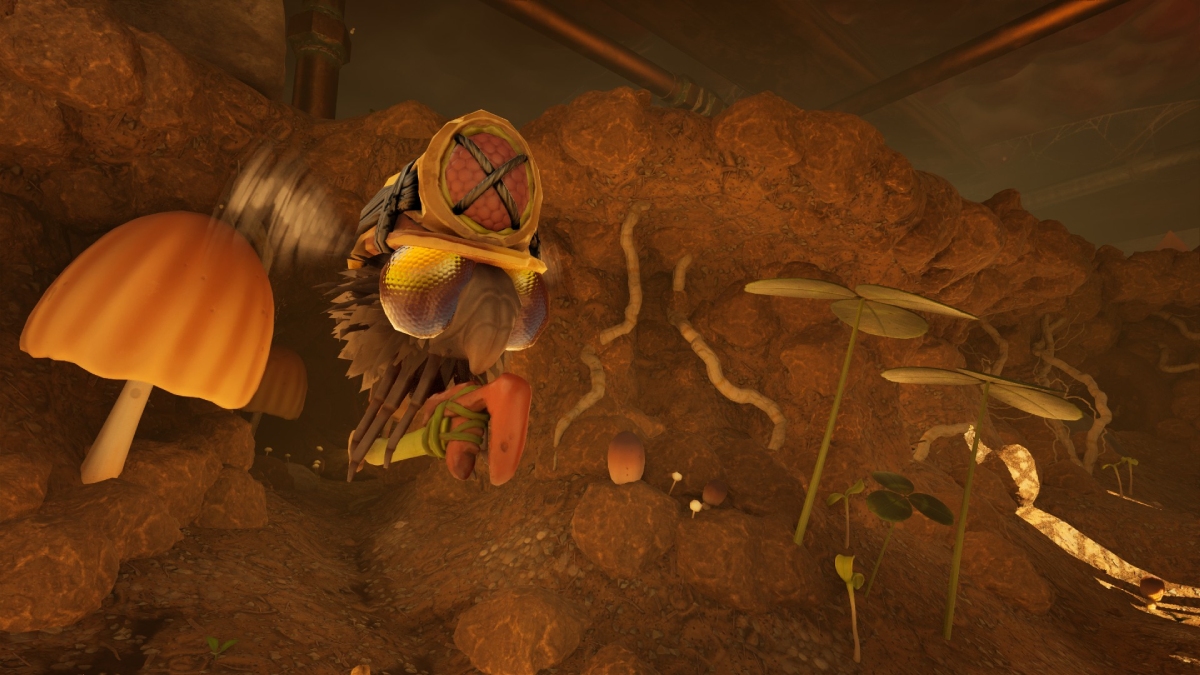
While Grounded 2 has a lot of new features, there are also plenty of old ones returning, such as the Handy Gnat. Many might remember this little helper that allowed you to build faster and with fewer restrictions, hence the “handy” in the name. However, Grounded 2 doesn’t tell you about it at all, making it a truly hidden feature in the game. For that reason, I’ve created a guide to show you how to enable this fuzzy helper and where you can use it.

How To Enable the Handy Gnat in Grounded 2
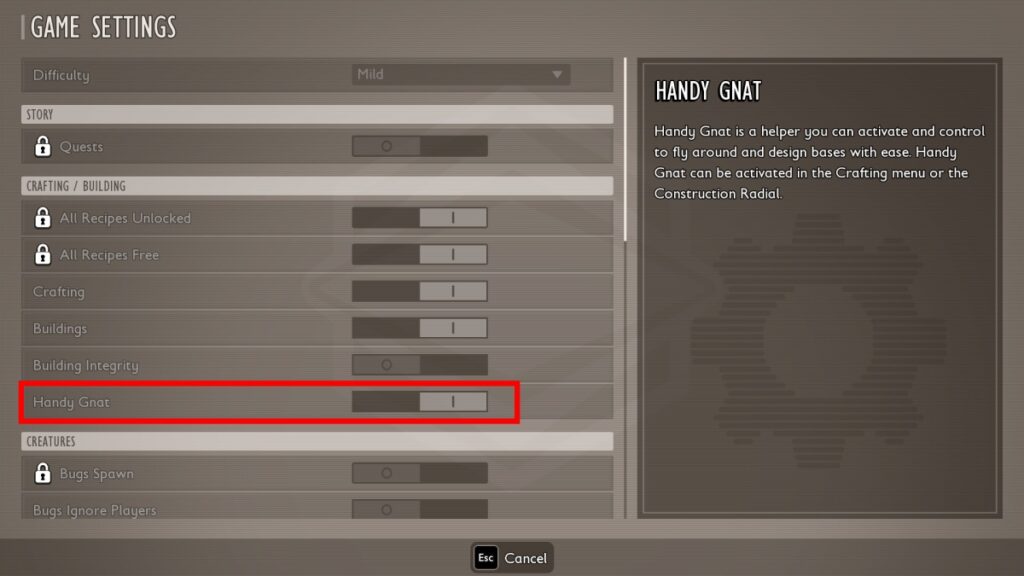
Handy Gnat World Options
Image Source: Obsidian Entertainment via Monster Hunter HQ

Before I delve into the specifics, here’s a disclaimer: while the Handy Gnat exists in Grounded 2, it only works in one specific game mode, and it is a bit buggy (no pun intended). This could change in the future once the game leaves early access, but for now, use with caution.

To enable the Handy Gnat in Grounded 2, you need to start a new game and select creative mode, with or without bugs. If you do so, you can look at the Mode Settings to see that the Handy Gnat will be enabled by default. Sadly, this isn’t available in survival mode, and custom mode hasn’t arrived yet, so don’t even try enabling it.
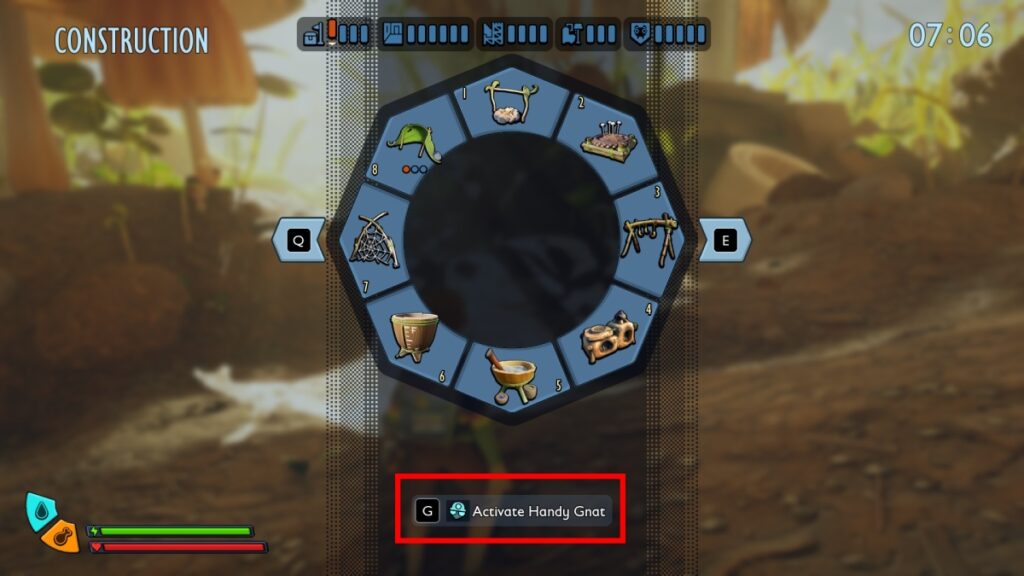
Handy Gnat Building Menu
Image Source: Obsidian Entertainment via Monster Hunter HQ

Once you enter a creative world, you can spawn your Handy Gnat by pressing “G.” You’ll control the flying Buggy and will be able to build almost anywhere and without having to move your character at all. By using the Handy Gnat, you can repair, build, and move structures around, just like you would in the normal building mode. However, the function doesn’t work that well, at least at the time of writing.

For instance, after building with your Handy Gnat, you might become stuck as the Gnat and will have to restart your game to control your character again. This also happens even if you change your Handy Gnat’s controls. As I said, it is buggy at the moment, so use it with caution. Yet, if you don’t mind restarting your world repeatedly, you can use your Gnat to build whatever structure you want, leave, and then return to show it off, take screenshots, or just keep building.

In any case, it is nice to see this function back for Grounded 2, but it still needs some tweaking to work correctly. Still, even without the Handy Gnat, the building system is quite good and allows you to do all sorts of wild builds, so you can do that in any game mode, at least while the developers fix the Handy Gnat.

Share. Facebook Twitter Pinterest Reddit Email
Julio La Pine
  • Website

Staff Writer for Monster Hunter HQ. Started his MH journey with World and quickly got addicted to it. He has spent more hours than he can count fighting Uth Duna, and will continue to do so until that gem drops. When not playing Monster Hunter, you'll find him in his favorite game ever: FFXIV or trying to add more mods to Project Zomboid.

Related Articles

Everything Coming to the Second Closed Beta of Monster Hunter Outlanders

MH Outlanders 2nd Beta Test Announcement Reveals Two New Adventurer Partners with Unseen Movesets Yet

What Does Affinity Do In Monster Hunter Wilds? Explained & Essential Armor Skills

Add A Comment
Leave A Reply Cancel Reply

Features

Everything Coming to the Second Closed Beta of Monster Hunter Outlanders

Monster Hunter Outlanders Might Just Be the True MH Wilds We’ve All Been Waiting For

Is Monster Hunter Wilds Feasible on Switch 2? Let’s Talk Quick Math

MH Outlanders Will Have ‘Overpowered’ Gacha Partners, Unlimited Quest Timer & Retries, Playtesters Said

Popular Guides

How Does Convert Element Skill Actually Work in Monster Hunter Wilds? Explained

Move over Frenzy, there’s a new kid in the wilds

How Does Lord’s Soul Skill Actually Work in Monster Hunter Wilds? Explained

Become the Lord of the Hunts

Best Way to Farm Armor Sphere in Monster Hunter Wilds for Armor Transcending

Time to max out those builds

Everything Coming to the Second Closed Beta of Monster Hunter Outlanders

April 2, 2026

MH Outlanders 2nd Beta Test Announcement Reveals Two New Adventurer Partners with Unseen Movesets Yet

March 29, 2026

What Does Affinity Do In Monster Hunter Wilds? Explained & Essential Armor Skills

March 12, 2026

How to Defeat Arkveld in Monster Hunter Stories 3

© 2026 MonsterHunterHQ

MonsterHunterHQ is an unofficial Monster Hunter fan site and is in no way affiliated with Capcom, Tencent, Niantic, Inc., or FromSoftware Inc. Monster Hunter and the Monster Hunter logos are the property and trademarks of Capcom.
  • About Us
  • Meet Our Team
  • Editorial Guidelines
  • Terms of Use
  • Privacy Policy

Type above and press Enter to search. Press Esc to cancel.